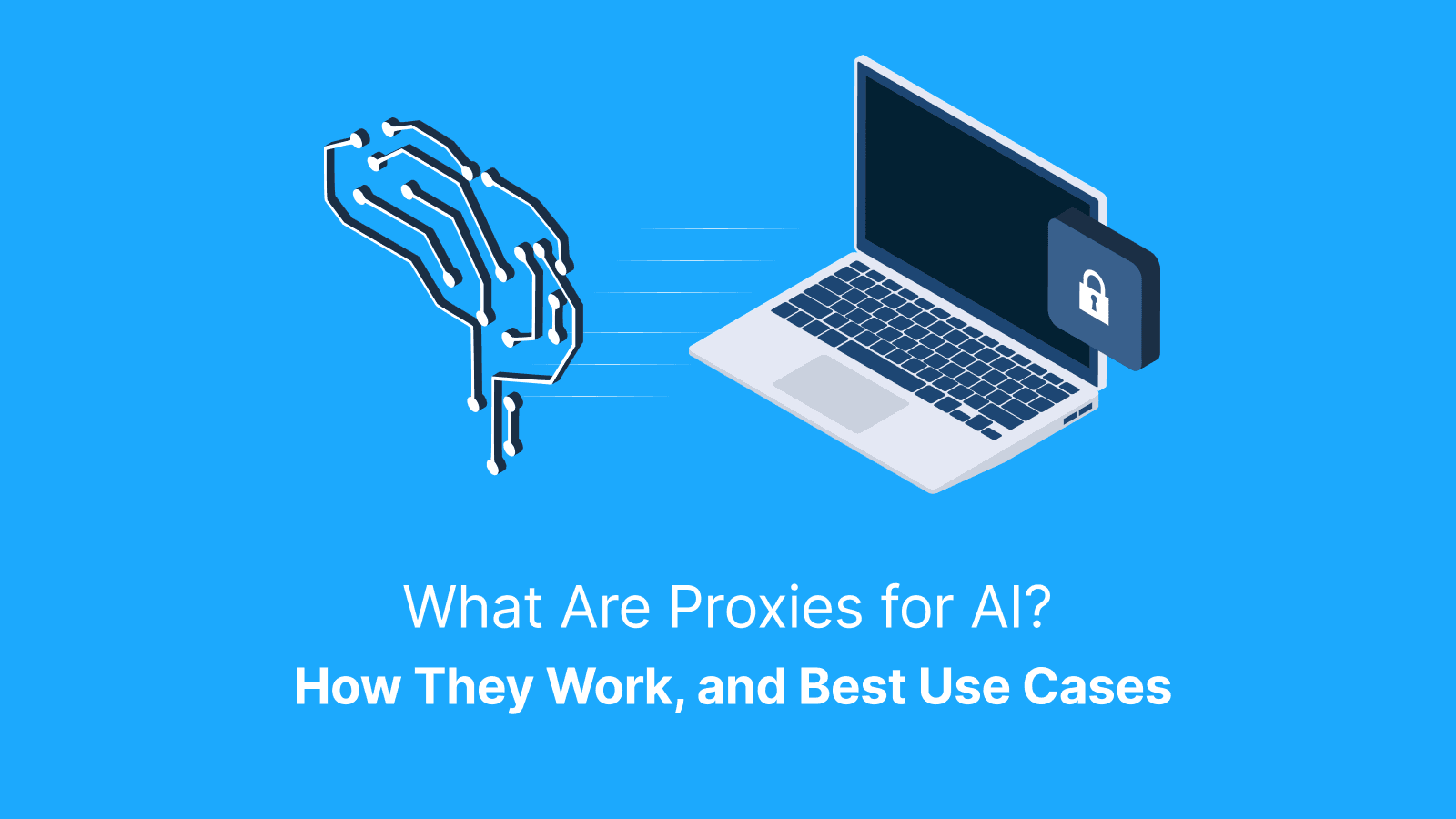

Proxies for AI are often called AI proxies. They are intermediary layers that sit between AI applications, agents, or data pipelines and external resources. Some of these external resources are LLM APIs, public websites, and private data services.
AI proxies manage identity, routing, security, and performance to keep AI workflows reliable, observable, and under control. In this guide, you’ll get a clear, practical roadmap covering how an AI proxy works end to end. You’ll also learn where it delivers the most value, common architectures and setup patterns, and the right KPIs to track.
What is an AI Proxy?
An AI proxy is a network layer that routes AI traffic through controlled IPs. The IPs offer rotation, sticky sessions, and geo targeting. It can also be described as an application-level AI proxy server that sits between your app and LLM APIs. As an application-level AI proxy server, it manages keys, quotas, logging, and safety rules.
When an agent browses web pages for data, you use a network proxy to look and behave like a real user. Similarly, when an app calls an LLM, you use an AI proxy server to control and observe those calls. In some serious systems, both are often run together. One is to ensure reliable access to the web, and the other is to govern how AI uses what it finds.
How do Proxies for AI Work?
When an AI system or data pipeline makes a call, the client sends the request to a proxy for AI instead of directly to the website or API. The proxy authenticates the request and checks it against simple rules you set.
It selects the appropriate exit or upstream vendor based on geo, ASN, or session requirements. Then, it forwards the request over a secure TLS tunnel, watches the response for errors, and records clean metrics.
Some practical control features of AI proxies are sticky sessions, which help to keep logins stable. It also has rotation rules to spread the load and pacing to avoid spikes. It has geo- and ASN-targeting to match real users, and safe logging with redaction.
When a request fails, it triggers specific behavior. Errors due to blocks prompt a controlled IP rotation. CAPTCHAs mark the route as degraded, while timeouts retry with backoff. Quota errors pause or reroute traffic.
Architecture Patterns
AI proxies have three practical architectural patterns. These patterns are:
- An LLM Gateway: This pattern exposes a single endpoint, keeps API keys server-side, enforces quotas, logs usage, and applies safety filters. It is optimized for cost control, observability, and governance. However, it can’t be used for geo-realistic browsing or bypassing site defenses.
- An Outbound Proxy Pool for Web Data and QA: This pattern routes traffic through residential, ISP, mobile, or datacenter exits with rotation or sticky sessions. It is optimized for access reliability, geo accuracy, and session realism. However, it is not optimized for model-level controls or prompt governance.
- A Hybrid: In this pattern, retrieval and validation use the outbound proxy pool for realistic access while generation flows. This is done through the gateway for centralized control. It is optimized for end-to-end reliability and compliance. However, this comes with the cost of extra setup and coordination.
Why Use an AI Proxy?
AI proxies help your workflows achieve higher success rates on web tasks. They deliver more realistic regional results for QA and ad checks. Also, they centralize LLM key management, enforce predictable quotas, and produce cleaner audits through consistent logs.
Additionally, they provide reliability and governance. However, remember that proxies do not make unsafe, noncompliant, or unethical behavior acceptable. Their value lies in improving control, efficiency, and accountability for AI-driven operations.
What are the Best Use Cases for AI Proxies?
There are several reasons teams use AI proxies. Some of the top use cases for proxies for AI include:
- Training and Evaluation of Datasets: For this use case, rotating proxies often work best to quickly gather diverse samples.
- RAG Retrieval: This use case benefits from sticky sessions to maintain consistent API or content access.
- Agentic Browsing and Testing: This requires a mix of rotation and sticky sessions depending on the workflow.
- Ad verification and Brand Safety: This favors sticky sessions for repeated, realistic location-specific checks,
- LLM API Brokerage: It relies on rotation to distribute requests safely
Geo and ASN accuracy are critical anytime content changes by location. Also, they’re critical for language, carrier, or storefront. They ensure that AI systems learn and act on correct, contextually relevant data.
Training and Eval Datasets
Proxies for AI help collect location-faithful training and evaluation datasets at scale. It keeps runs repeatable by allowing rotation for broad coverage and sticky sessions for logged-in or stateful flows.
Be sure to include snapshot responses with timestamps and store the source URLs. Also, log failures for auditability. Before you scale, validate a small sample to ensure data quality and consistency.
Agentic Browsing and Automation
In agentic browsing and automation, AI agents simulate human interactions by navigating pages, clicking links, and sometimes submitting forms. It uses sticky sessions to preserve state across multi-step tasks. On the other hand, rotating proxies isolates different workflows to prevent cross-task contamination.
Some common friction points that require careful handling include CSRF tokens, bot checks, and inconsistent locale settings. A more practical approach is to run small step loops and apply conservative retries. Also, include human review for any high-risk or sensitive flows.
LLM API Brokerage
LLM API calls can be routed through a centralized gateway, also known as an LLM API brokerage. This lets teams manage API keys, enforce quotas, maintain logs, and apply policy consistently.
Also, it enables routing by model, cost, latency, or region. Its ability to switch vendors without touching every client makes this setup reliable. In addition, it offers control, safety, and operational oversight across all AI workloads.
Further reading: What Are Private Proxies and How Do They Work? Pros and Cons and What Is an Open Proxy? Risks, Examples and Alternatives.
What Proxy Types Fit AI Workflows?
For AI workflows, ISP and residential proxies are ideal when you need consumer-trust signals and realistic web interactions. Mobile proxies are best for apps or platforms that heavily rely on carrier legitimacy.
As for datacenter proxies, they’re good for speed, internal tooling, or permissive targets. Static ISP proxies work best for allowlists and long-running sessions.
The rule of thumb is to use sticky sessions to keep continuity for repeated interactions. Also, use rotation to spread requests and avoid blocks, maximizing coverage.
Sticky Vs. Rotating
Sticky sessions bind a single IP address to a set period of time. This is essential for stateful tasks like logins, shopping carts, or multi-step flows. However, rotating proxies switch IPs between requests or pages to expand coverage and reduce rate-limit pressure. Do not rotate mid-transaction. This can break sessions and produce misleading errors or failed data collection.
How Do “AI-driven” Proxy Managers Pick the Best Exit?
AI-driven proxy managers select the best exit by objectively scoring proxies. They evaluate success rate, latency percentiles, block and CAPTCHA frequency, and geo or ASN alignment.
It applies sensible guardrails, such as pinning geography when content varies. It also caps retries, adds backoff delays, and throttles requests per target.
Ensure that you log a simple scorecard for each domain so that changes are easy to trace. The best systems make these selections visible.
How Do You Set Up an AI Proxy Gateway for LLMs?
To set up an AI proxy gateway for LLMs, here’s a blueprint to follow:
- Position a gateway between your app and LLM vendors
- Store all API keys securely on the server
- Mint short-lived client tokens for requests
- Enforce per-team and per-model quotas
- Redact sensitive fields in logs
- Expose a single internal endpoint
Meanwhile, ensure you handle vendor failover and model routing in plain terms. Include a simple runbook for rolling back routing rules, rotating keys, and managing request bursts without disrupting production.
Key Handling and Redaction
To prevent leaks and reduce risk when using AI proxies, always keep API keys and secrets out of client applications. Also, implement short-lived tokens with least-privilege scopes and rotate keys regularly.
Mask sensitive data such as emails, user IDs, and confidential content in request logs. Additionally, focus on implementing friendly practices that help to avoid common mistakes.
Routing and Failover
Routing and failover in proxy-for-AI setups rely on clearly defined rules. These rules determine which proxy or network path to use and automatically switch when certain triggers occur.
Such triggers include repeated 429 rate-limit responses, consecutive 5xx server errors, or regional connectivity incidents. Failover actions should always be measurable, reversible, and well-documented. This ensures that every incident follows a predictable procedure, rather than leaving teams to guess.
How Do You Set Up a Proxy Pool for Data Sourcing and QA?
To set up a proxy pool for data sourcing and QA, start by defining your target sites and the specific fields you need. Choose the geographic locations that must match real user conditions.
Decide which requests require sticky sessions or rotation. Pace requests carefully, and store page snapshots for validation. Monitor per-domain success and block rates, and iterate weekly based on real metrics. Make sure to keep headers, language, timezone, and cookies consistent so that your results truly reflect real user behavior.
Geo and ASN Targeting
Geo targeting controls what content and pricing you see. It influences factors like local inventory, language, shipping rules, and SERP layout.
However, ASN targeting matters for carrier-specific experiences or sites with anti-abuse systems. Essentially, ASN targeting is “which network your requests appear to come from.” Please always verify a small sample from each geo and ASN before scaling any AI proxy workflow.
Session Hygiene
Proper session hygiene means managing cookies and state effectively. It is keeping cookies isolated per task or per account, and avoiding mid-flow rotation that can break continuity. It also involves knowing exactly when to reset the session state.
In AI workflows, tracking the “session survival rate” is a real metric that shows how reliably logged-in journeys complete without interruptions or data loss.
Provider Example and Setup Tips
For a practical AI proxy pilot, choose a reputable provider with strong geo coverage and flexible session controls. If your workflow needs residential and mobile exits, Live Proxies offers rotating residential proxies and rotating mobile proxies with private IP allocation and optional sticky sessions that last for roughly 60 minutes. For mobile proxies, HTTP and HTTPS are supported, and SOCKS5 is available upon request.
You can run a small test by selecting one target, executing 500 requests with rotation and 200 with sticky sessions. Make sure to log the success rate, block or CAPTCHA rate, p50 and p95 latency, and cost per successful row. Keep cookies tied to each task and avoid rotation mid-checkout. Snapshot HTML or JSON with timestamps for audit, and then perform a weekly tune-up based on these metrics to maintain reliability and efficiency.
Keeping cookies tied to each task and avoiding rotation mid-checkout. Snapshot HTML or JSON with timestamps for audit, and then perform a weekly tune-up based on these metrics to maintain reliability and efficiency.
What About Security, Privacy, and Compliance?
A proxy hides your origin, but doesn’t make unsafe behavior safe. A practical guardrail for safety, privacy, and compliance includes using HTTPS everywhere and enforcing least-privilege access. Keep logs only as long as needed and redact any PII.
Also, explicitly document what data you collect and why. Always respect site terms and pace requests responsibly. Avoid collecting personal data when not necessary, as this helps minimize risk and maintain compliance.
What KPIs Prove Your AI Proxy is Working?
There are core KPIs that show that your AI proxy is truly improving performance. For web tasks, these KPIs are success rate, captcha or block rate, median and p95 latency, and retry count. It also includes session survival for logins and cost per successful request or row.
For LLM gateways, the KPIs are 4xx and 5xx rates, throughput, average cost per 1K tokens, vendor failover time, quota hit rate, and policy violations prevented. Establish a baseline without proxies so that any lift can be clearly measured and attributed.
How Do You Troubleshoot AI Proxy Issues Fast?
Most AI proxy issues can be troubleshooted using a symptom-to-action approach. Repeated 407 errors or authentication loops usually indicate credential mistakes or policy restrictions. Spikes in 403 or 429 errors often mean that you need slower request pacing or a better geo match.
Timeout errors can be resolved by adjusting your routing and backoff strategies. Login instability calls for sticky sessions and reduced rotation, while LLM errors tied to 401 or 429 codes typically point to scope or quota limits.
One of the fastest ways to resolve these problems is to maintain a minimal runbook. Consistently log fields to quickly correlate errors, apply fixes, and verify stability across your AI proxy workflow.
How Should You Choose the Right Proxy Stack?
To choose a proxy stack for AI workflows, here’s a buyer checklist you can use. An AI proxy provider must cover:
- Protocol support
- Geo and city coverage
- Sticky versus rotating options with precise session control
- TLS support
- Observability and exportable logs
- Trial or pilot options
- Realistic support expectations
Remember to test proxies against your actual workflow, not a generic speed test. Only make buying decisions based on cost per successful output, not cost per GB. This ensures efficiency and reliability.
Pilot and Compare Results
Before you scale, run a head-to-head pilot by first configuring a baseline run without proxies. Repeat the same workflow with Live Proxies, using identical headers, pacing, and routes. Make sure to carefully measure success rate, CAPTCHA/block rate, and p95 latency. Also, measure session survival for logins, and net cost per successful request. Document geo and ASN settings to ensure reproducibility. Only adopt the proxy stack if KPIs improve and costs stay predictable over several days of testing.
Also, measure session survival for logins, and net cost per successful request. Document geo and ASN settings to ensure reproducibility. Only adopt the proxy stack if KPIs improve and costs stay predictable over several days of testing.
What is the Best Way to Roll Out Proxies for AI Safely?
The safest way to roll out AI proxies is to start with a single workflow. Limit it to one or two geos and low concurrency. Ensure you document every setup step and rollback plan.
Implement basic health checks and alerts, assign one owner for proxy policies and another for parsers or QA. Review logs weekly for a month, and only scale once the success rate and cost per successful request have stabilized.
How Do AI Proxies Support Retrieval-Augmented Generation (RAG) Pipelines?
Proxies for AI support RAG pipelines by enabling reliable retrieval across multiple layers. These layers include crawling diverse sources, fetching region-specific SERPs, and accessing gated documents through allowed identities.
It is done using sticky sessions for identity-bound sources and rotation to expand public coverage. Make sure you store snapshots and deduplicated content to improve retrieval quality. All these must be carried out under strict compliance and allowlists whenever sources impose terms or access rules.
Freshness and Dedup
To avoid stale or duplicate data when using proxies for AI, set a clear crawl cadence. Also, deduplicate content by combining URL and normalized text hashes. Store last-seen timestamps, and monitor for churn. By maintaining consistent freshness, you reduce hallucinations in AI outputs. You also improve repeatability and reliability when evaluating models or datasets.
Per-Source Rules
Every source should have its own clear rules. The rules should include allowed paths, request delays, retry budgets, and parsing logic.
Setting per-domain rules helps keep data cleaner and reduces waves of blocks. It can also be implemented as a simple, repeatable system without advanced tooling or complex automation.
How Do Agents Behave Behind Proxies?
Agent frameworks interact with web pages by simulating browsing and executing tasks. Sticky sessions help preserve context for coherent user journeys while rotation isolates tasks to avoid cross-contamination.
However, trapdoors like CSRF tokens, bot checks, and inconsistent locale can break flows. To maintain a consistent identity per task, slow down when errors occur. Also, include a manual review step for any sensitive or high-stakes actions.
Anti-Automation Friction
Anti-automation friction can be reduced by detecting rate limits and CAPTCHA early. You should equally back off when these frictions appear.
Whenever possible, use official APIs, as they help stabilize your AI proxy workflows. Your workflow also improves significantly when you ease pressure on target sites and maintain predictable, human-like traffic patterns.
Fingerprint Basics
When using proxies for AI, ensure that your headers, timezone, language, and device consistently align with the exit location. This helps to avoid triggering suspicious mismatches.
Also, it's best to maintain the same settings throughout a task instead of switching them frequently. Your focus should be on practical consistency to ensure reliable access, rather than on evading detection.
What Rate-Limit and Pacing Strategies Work?
Effective pacing is all about setting per-target request budgets and inserting randomized gaps between calls. It also involves applying exponential backoff on 429 and 5xx responses.
In addition, it includes using circuit breakers after repeated failures and scheduling heavy runs off-peak when possible. Pacing directly improves data quality and reduces the chance of blocks. It lowers operational costs by minimizing unnecessary retries and proxy usage.
How Do You Prevent DNS and WebRTC Leaks?
Some apps can bypass your proxy for Domain Name System (DNS) queries or inadvertently reveal your local IP address through Web Real-Time Communication (WebRTC). To force all DNS requests through the proxy path, you need to disable WebRTC leakage in your test environments. Ensure you verify the setup with a leak check before running large-scale AI or data collection workflows.
What Deployment Model Should You Choose, Self-Hosted or Provider-Managed?
Two factors determine whether you choose a self-hosted or provider-managed AI proxy. These are “control” and “convenience.”
A self-hosted gateway offers deep policy control and ownership. However, it adds operational complexity. On the other hand, a provider-managed proxy pool offers faster setup, broader geographic coverage, and built-in support.
Some teams adopt a practical hybrid approach. This keeps keys and policies under internal control while leveraging provider exits to scale, improve reliability, and expand global reach.
Cost Control Tips
To keep proxy costs predictable, prune unused geographic locations and reuse sessions for long-running tasks. Cache static content whenever safe, and track cost per successful row or request. Make it a habit to review major cost drivers monthly, rather than waiting for a surprise bill at the end of the cycle.
How Do You Design Observability for AI Proxy Traffic?
To design observability for AI proxy traffic, start by logging key fields. This makes debugging fast. Log fields such as request ID, exit geo and ASN, target host, and status code. Other fields to log include time to first byte, total latency, captcha flag, retry count, and session ID.
Safely sample payloads with sensitive-data redaction, and build per-target dashboards with alert thresholds for block rate and latency spikes. This helps teams to spot issues early and keep AI workflows running smoothly.
What Privacy and PII Guardrails Should You Apply?
Simply keep privacy workable by enforcing a few hard rules that don’t require a legal department. Collect only the fields your model actually needs and mask or hash any personal identifiers in logs.
Isolate sensitive sources into separate projects with restricted access and set clear data-retention windows with automatic expiry. Make sure to define simple steps for deleting that anyone on the team can run.
As for LLM workflows, always redact PII before prompts leave your system. Store only minimal references or IDs, rather than raw personal data.
How Do Proxies Intersect With Enterprise Zero-Trust?
In a zero-trust setup, an AI proxy acts as a controlled gateway between models and the outside world. It enforces identity and policy by checking device posture and scoping tokens to specific tools and endpoints.
It also sets per-team quotas and records audit logs. Place the gateway behind SSO and issue short-lived tokens for client calls. This verifies every request and limits them. It also ensures the request is traceable and reduces operational risk without slowing teams down.
Which Caching Tactics Help AI Data Tasks?
Caching helps AI data tasks when you’re rechecking the same public pages or APIs. It also helps when you want to cut costs and load. But on the flip side, it hurts when content is personalized, requires logging in, or is time-sensitive.
Therefore, you should use ETags and If-Modified-Since headers for repeat crawls to fetch only what has changed. Apply short TTLs on fast-moving pages like prices or availability.
You should skip caching entirely for sessions that depend on cookies or user state. Always include geo in your cache keys when content varies by location. Otherwise, you’ll quietly mix regions and corrupt your training data.
A typical example is caching a US product page and later serving it to a UK scraper without realizing the mismatch. What Error Taxonomy Speeds Up Fixes?
A simple error taxonomy includes:
- Auth and policy errors like 401 and 407
- Rate and block errors like 403 and 429
- Network failures such as timeouts or DNS issues
- Parse failures when selectors break
- Content mismatches caused by locale or layout changes
These errors make fixes faster because each failure is consistently labeled. They’re also routed to the right owner and triaged without guesswork.
Minimal Runbook
To correct these errors, you can use a simple check–change–verify pattern. First, check logs and response codes to confirm whether the issue is access, pacing, or session-related.
Second, change only one variable at a time. These variables can be proxy type, rotation timing, headers, or request rate. Third, immediately verify the impact by comparing the success rate and block rate before and after the change.
Have a clear rollback note that if metrics worsen, you revert to the last known good setup instead of letting temporary fixes turn into permanent guesses.
How Do You Align Proxies With Mobile App Testing?
You align proxies with mobile app testing by running device farms or emulators behind a proxy layer. You have to choose a mobile or ISP exit that aligns with real carrier trust models.
This approach is better than datacenter exits because app stores, CDN routing, and even in-app content can change by city or carrier.
We recommend testing one region at a time and keeping device signals consistent with the proxy’s exit location to avoid false failures.
What Contracts and SLAs Matter When Buying Proxy Services?
When buying AI proxies, several SLAs should be considered. These include clear uptime targets, defined support response times, explicit expectations for geographic coverage, and maintenance window announcements.
Others include transparent abuse and takedown handling, and plain-language data-handling commitments.
To protect yourself, add a pilot clause that ties continuation to KPIs like success rate, stability over time, and cost per successful request. This prevents any surprises once you scale.
How Do You Keep Costs Predictable at Scale?
To keep costs predictable, you have to enforce traffic discipline. This involves throttling requests based on marginal data value, compressing responses, and stripping heavy assets.
It also involves using lighter endpoints where sites allow it and scheduling heavy crawls into defined windows. In addition, you can cut wasteful retries through better pacing and tighter geo-matching.
As you do this, track cost per successful request or usable data row as the primary control metric. Run a monthly review of geographies, domains, and retry budgets to trim anything that no longer earns its keep.
Who Owns What, Roles and Responsibilities?
In a clean proxy-for-AI setup, the platform team owns the AI proxy gateway, routing logic, and usage policies. Data operations owns target selection, parsers, and data validation.
As for the security team, they own credentials, key rotation, and access logs, while finance owns budget tracking and vendor reviews.
Everyone should agree on an escalation path. In this path, sudden block waves go to data ops and the platform team together. Proxy or network outages are escalated straight to the vendor and platform teams, with a clear rollback plan.
Further reading: What Is a Data Server? Definition, Uses, Types & Examples and What Is a Proxy Hostname? Definition, Examples & Setup Guide.
Conclusion
Proxies for AI serve to improve reliability. They control identity, location, and access policy across both web data collection and LLM usage. You’re to choose the proxy pattern that matches your goal. Instrument the KPIs that matter and pace requests responsibly.
Start small by picking one workflow. Define clear success metrics and run a baseline. Pilot with a proxy stack and scale only once you see measurable, repeatable improvement.
FAQs About AI Proxies
What is an AI proxy vs a normal proxy?
A typical network proxy primarily masks IP addresses and routes traffic to external sites. But an AI proxy adds layers specifically for AI workloads. Examples include handling LLM key management, enforcing quotas, applying routing rules, and logging policy compliance.
You should list the policies your AI tasks require and pick the proxy pattern that fully supports them.
Why do AI projects need residential or ISP exits?
AI projects benefit from residential, or ISP, exits because these consumer-like IPs provide higher trust and realistic geographic behavior. They also improve success rates on sites that treat datacenter traffic differently.
Run an A/B test on a single login or checkout flow and compare the performance between a residential/ISP exit and a datacenter exit. Through this test, you’ll see which yields more reliable results.
Can an AI proxy pick the best exit automatically?
Yes. Modern AI proxies can automatically select the optimal exit IP for each request based on success and latency scores. It can also use geo pinning, retry budgets, and safe fallback paths.
You should turn on exit scorecards and configure alerts for block-rate spikes. This helps you catch issues before they affect your workflow.
How does an AI proxy server protect API keys?
An AI proxy server protects API keys by keeping them securely on the server side. They also issue short-lived client tokens and enforce per-model quotas.
Additionally, they redact sensitive information from logs. Make sure to remove all keys from client applications. Also, route every AI request through a single, centrally managed proxy endpoint to centralize security and monitoring.
What KPIs prove my proxy setup works?
The key KPIs are success rate, captcha or block rate, latency percentiles, session survival, retry count, and cost per successful request. First, establish a no-proxy baseline for the same workload. Afterwards, compare performance with your proxy stack to measure true improvements.
How do I avoid legal or ethical issues?
To avoid legal or ethical issues, always respect site terms and rules. Ensure you collect only the data that you genuinely need. Also, avoid sensitive personal information and pace your requests responsibly.
Before scaling, create a simple review checklist for each new target that flags compliance concerns, expected load, and data sensitivity.
Which proxy type should I start with?
As a quick rule of thumb, choose residential or ISP proxies when you need realistic traffic and stable logins. When speed matters on permissive targets, datacenter proxies are your best bet. Static ISP proxies are ideal for allowlisted workflows, while mobile proxies are ideal for carrier-trusted apps.
Start by piloting two types on the same workflow. As you do so, measure the cost per successful request before committing to full-scale deployment.
How do I stop DNS and WebRTC leaks?
To prevent DNS and WebRTC leaks, ensure all DNS requests are routed through your proxy. Ensure you disable WebRTC in test environments or browser settings. Additionally, endeavour to run a leak check before every large-scale test. Lastly, securely store the results for reference.