
A proxy port is the number that tells an app or device which proxy service on a server it needs to connect to. The proxy address identifies the server itself, while the proxy port directs traffic to the correct service running on that server. Without the correct port, a proxy connection fails even when every other setting is accurate.
Proxy configuration issues remain one of the most common causes of failed network connections. This is because proxy setups depend on multiple matching values, including the host, port, protocol, and authentication details.
According to the Cisco Annual Internet Report, global internet traffic and connected devices continued to grow rapidly as cloud applications, remote work, and connected services expanded worldwide. That growth increases the number of users configuring proxies across browsers, apps, printers, and enterprise systems. Understanding how proxy ports work helps users troubleshoot failed connections faster, avoid common setup mistakes, and manage reliable outbound traffic more efficiently as proxy-based networking continues to scale.
What Is a Proxy Port?
A proxy port is the numeric network endpoint that allows an app, browser, or device to connect to a proxy service running on a server. It directs traffic to the correct proxy process so requests can pass through the server properly.
Every proxy server listens for connections on a specific port number. When an application uses a proxy, it connects to the server address first and then to the assigned port for that proxy service. The server uses the port to determine which network service should handle the traffic.
A proxy connection only works when the address, port, and proxy type match the server configuration. If the proxy address is correct but the port is wrong, the connection usually fails or reaches the wrong service.
Proxy Address and Proxy Port in One Picture
The proxy address tells your app which server it needs to contact, while the proxy port tells it which service on that server it needs to use. One server can run several services simultaneously. For example, the same machine can host a website, an email platform, and a proxy service at the same time. Ports keep those services separated so incoming traffic reaches the correct destination.
Why Does a Proxy Need a Port Number?
A proxy needs a port number because the IP address only identifies the server, while the port identifies the specific proxy service running on that server. Ports help route traffic to the correct application, such as HTTP or SOCKS proxies. Without a port, the device wouldn’t know where to send the connection request.
What Happens if the Port is Missing?
If the Port field is empty or incorrect, most applications fail to establish a proxy connection. Some other apps may not save the settings entirely because the destination service remains undefined.
Guessing proxy ports also causes unnecessary troubleshooting because many providers use custom configurations rather than standard defaults. The correct port normally comes directly from the proxy provider dashboard or a network administrator.
What Is a Proxy Port Number?
A proxy port number is the numeric value that identifies the specific proxy service an application connects to on a server. It forms part of the proxy connection settings and works alongside the proxy address, protocol type, and authentication details.
The purpose of the port number is to route traffic to the correct service running on the server. Most proxy setups use either default industry ports or provider-assigned custom ports.
Port Number Ranges in Plain Words
Port numbers exist within a fixed numerical range. What matters is using the exact port assigned to the proxy service. Some proxy services use commonly recognized ports adopted by many tools and applications as defaults over time. Others use custom ports for scaling, traffic separation, or security management.
Port Number and Proxy Type Must Match
A port number alone does not determine how the proxy connection works. The application also needs the correct proxy protocol, such as HTTP, HTTPS, or SOCKS. A mismatch between the proxy type and port often causes connection failures even when the host and credentials are correct. For example, an app configured for an HTTP proxy fails if the server expects SOCKS traffic on that same port.
What Is a Proxy Address and Port Number?
A proxy address and port number are the core connection details required to route internet traffic through a proxy server. The address identifies the server location, while the port number identifies the specific proxy service running on that server. These settings work together as part of a complete proxy configuration.
Most proxy setups also require a proxy type, such as HTTP or SOCKS, and sometimes authentication credentials like a username and password. A proxy connection only succeeds when all of these values match the server configuration.
Typical Fields You Will See in Settings
Most applications display the same key proxy fields during setup. These fields define how the app connects to the proxy server:
-
Host or Address: The server name or IP address that the app connects to
-
Port: The numeric endpoint assigned to the proxy service
-
Proxy Type: The protocol the proxy uses, such as HTTP, HTTPS, or SOCKS
-
Username and Password: Authentication details required for restricted proxy access.
Small configuration mistakes like extra spaces, incorrect capitalization in credentials, or typing the wrong port often result in failed connections.
Where to Find these Details
Proxy connection details usually come from a provider dashboard, account panel, setup email, or network administrator. Business networks often distribute proxy settings internally through IT documentation or device management tools.
If the setup information only includes a server address without a port number, the configuration remains incomplete. The fastest solution is to request the missing details directly instead of testing random ports.
Further reading: What Is a Forward Proxy? Forward vs Reverse Proxy, and What It’s Used For and Residential vs Datacenter vs Mobile Proxies: The Comparison for AI Teams.
How Does a Proxy Port Work?
A proxy port acts as the entry point your device uses to connect to a proxy server. Your traffic is sent through that port, the proxy processes the request, then forwards it to the destination website before returning the response to you. Different ports handle different proxy services and protocols, such as HTTP or SOCKS5.
The Most Common Failure Signs
Proxy port issues often produce recognizable connection errors. Common signs include:
-
Connection Refused: The server is reachable, but nothing is listening on the specified port
-
Timeout Errors: The connection request never completes because traffic is blocked or routed incorrectly.
-
Authentication Failures: The proxy is reached successfully, but the credentials or proxy type do not match.
-
Pages that Never Load: The connection stalls before traffic reaches the destination website.
Port mismatch is one of the fastest settings to verify because many proxy errors originate from incorrect port values.
Why Wrong Ports Can Look Like Wrong Passwords
Many applications display generic proxy errors instead of identifying the exact configuration problem. A wrong port, incorrect proxy type, or invalid credentials can all trigger similar failure messages.
This overlap often leads users to reset passwords unnecessarily when the real issue is the port configuration. The fastest troubleshooting approach is to check the host, port, proxy type, and credentials one step at a time instead of changing multiple settings simultaneously.
What Are Common Proxy Port Numbers?
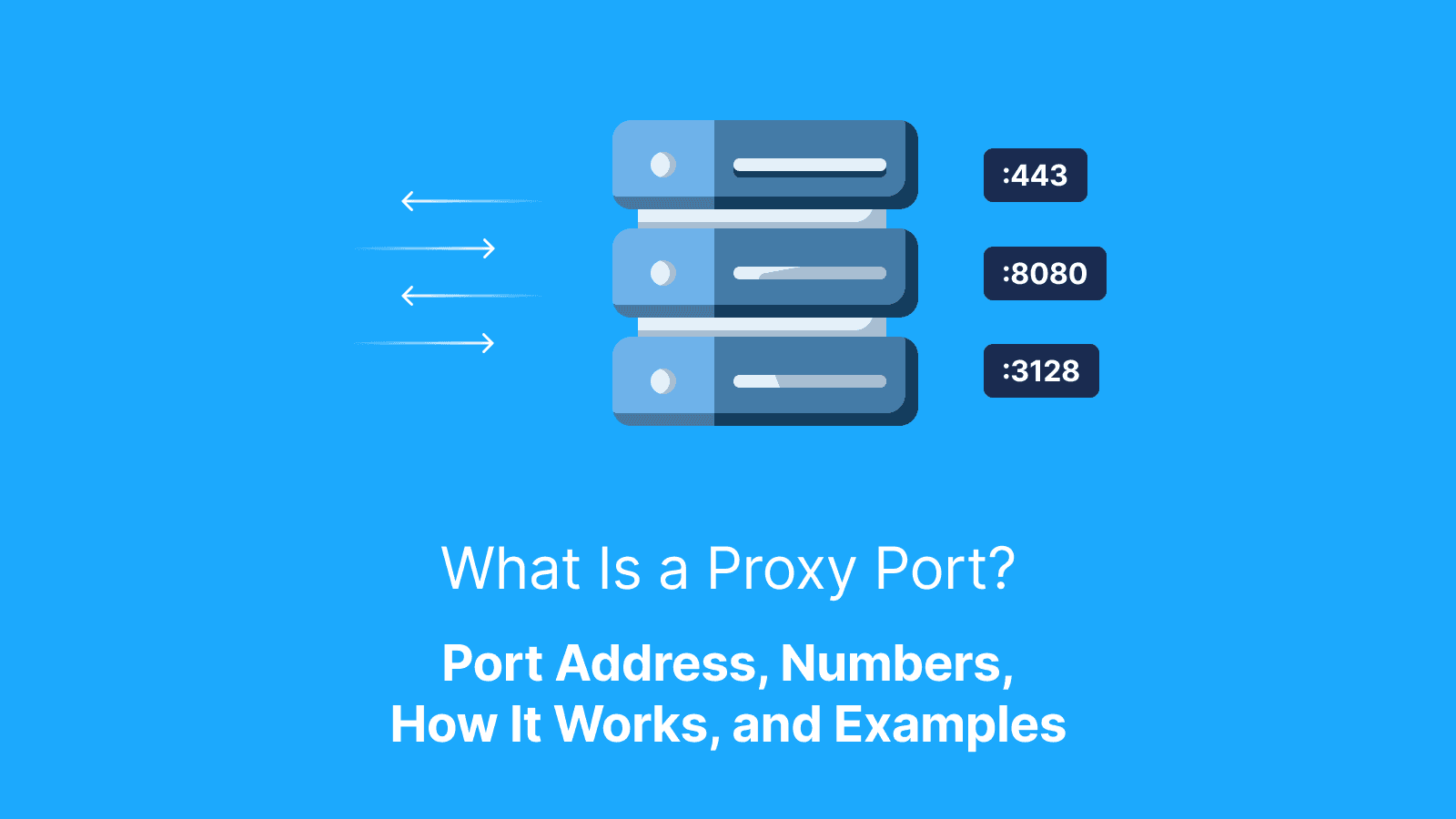
Common proxy port numbers are standard communication channels often used by proxy servers and proxy-related tools to handle different types of internet traffic. For example, port 8080 is commonly used for HTTP proxy traffic, port 1080 is typically assigned to SOCKS proxies, and port 3128 is widely associated with Squid caching proxies. Port 443 is primarily associated with HTTPS web traffic, although some proxy providers also use it for proxy services.
These ports are common reference points, but are not universal. A proxy can use any valid port depending on how the provider configures the service.
Why “Common Ports” Exist
Common ports exist because proxy tools and network communities historically relied on default configurations to simplify setup. When a tool ships with a predefined port, users adopt it, and it spreads through documentation, guides, and configuration examples.
Over time, these defaults become informal standards in learning materials. However, real-world proxy providers are not bound to them. Many choose different ports for scaling, separating services, or improving infrastructure management.
Common Ports Do Not Guarantee Compatibility
A port number alone does not determine whether a proxy will work, but only identifies where the service listens for connections. The proxy type (HTTP, HTTPS, or SOCKS), authentication details, and routing rules must also match.
For example, 1080 is commonly linked with SOCKS proxies, but it does not guarantee SOCKS functionality on every server. Correct configuration depends on matching all required parameters, not just the port.
What Is a Proxy Server Port vs a Website Port?
A proxy server port and a website port refer to 2 different points in how web traffic is handled. A proxy server port is the port your device connects to when using a proxy. It belongs to the proxy service and is entered in your app, browser, or system settings as part of the proxy configuration.
A website port, such as 80 for HTTP or 443 for HTTPS, is the port where a website directly receives traffic. It belongs to the destination server, not the proxy setup.
When a proxy is in use, your device connects to the proxy first using its host and port. The proxy then forwards your request to the website using the correct destination port automatically, without any manual input from you.
A Simple Way to Avoid Confusion
If you are setting up a proxy, the port you enter is the proxy’s port, not the website’s port. The website’s port is handled internally by the proxy during request forwarding, so it is not part of your configuration.
How Do You Find the Correct Proxy Port?
The correct proxy port is always provided by the proxy provider or system administrator and must be used exactly as given. It is not something you estimate or derive from common defaults. In most provider dashboards, proxy details are clearly listed as a set: host, port, proxy type, and authentication credentials.
In corporate or managed environments, IT teams typically provide the same information through internal documentation or configuration guides. Some providers also assign different ports based on region, performance tier, or proxy type. This means a single service may offer multiple valid ports, each tied to a specific use case.
A Quick Checklist Before Testing
Before using a proxy, confirm the full configuration is correct, not just the port. Check the following:
-
Correct Host: Must match the provider’s server address exactly
-
Correct Port: Must be copied exactly as provided
-
Correct Proxy Type: HTTP, HTTPS, or SOCKS must match the service configuration
-
Correct Credentials: Username and password must be accurate if required
-
Correct Scope: Ensure the proxy is applied at the correct app or system level
What to Do When Documentation Is Unclear
If proxy details are unclear or incomplete, the fastest resolution is to request clarification from the provider or administrator. A small test using the supplied settings can quickly confirm whether the configuration is valid. Keep a record of error messages, timestamps, and settings used to fast-track troubleshooting and reduce repeated trial-and-error.
What is a Proxy Port for a Printer?
A proxy port for a printer is the port number the printer uses to connect to a proxy server in a managed network. It enables the printer to access external web services through an organization’s controlled internet route.
In environments like offices or schools, printers often cannot access the internet directly. Instead, they route traffic through a proxy server using a configured host and port provided by the network administrator.
Common Printer Setup Fields
Printer proxy configuration usually includes a small set of required inputs. Below are the inputs:
-
Proxy Host: The network address of the proxy server
-
Proxy Port: The specific port used to connect to the proxy server
-
Username and Password: Credentials required in secured networks
When Printers Fail Even with Correct Settings
Even with accurate proxy details, printers can still fail if the network applies additional restrictions. Some environments require device certificates, firewall allowances, or specific access rules for non-computer devices. In these cases, the issue is not the proxy port or configuration but network policy enforcement. The resolution typically requires IT support rather than further manual adjustments.
What Is Nginx Proxy Manager's Default Port and Why Does It Matter?
In self-hosted environments, proxy ports are not only used to connect to external services but also to manage internal infrastructure tools like Nginx Proxy Manager. In this context, ports define how users access hosted applications and how administrators control and configure proxy rules.
Nginx Proxy Manager Default Ports
Nginx Proxy Manager is built around a small set of standard ports that separate public traffic handling from administrative functions. These defaults are widely used in typical installations unless they are manually changed during deployment:
-
80: Used for standard HTTP traffic routed through the proxy
-
443: Used for secure HTTPS traffic through the proxy
-
81: Used for the administrative dashboard where configurations are managed
In containerized or custom setups, these ports can be remapped depending on system design, so actual values should always be confirmed in the deployment configuration.
Common Mistakes with Nginx Proxy Manager Ports
Port misconfiguration in Nginx Proxy Manager typically happens when default assumptions are made without checking system-level mappings or network rules. These mistakes often include:
-
Port Conflicts: Another service already using ports 80 or 443 prevents the proxy from starting correctly
-
Exposed Administrative Interface: Leaving port 81 publicly accessible creates an unnecessary security risk
-
Missing Firewall Rules: Required ports are blocked due to an incomplete network configuration
Proper setup requires verifying port mappings, checking for conflicts, and restricting administrative access to trusted networks only.
What Errors Happen When a Proxy Port is Wrong?
When a proxy port is incorrect, the connection fails in predictable ways because the application cannot reach the expected service endpoint. Here are errors to look out for:
-
Connection Refused: This error typically means nothing is listening on the specified port, often due to a wrong port number or a stopped proxy service.
-
Timeout Error: This usually indicates that the request is being blocked or cannot reach the server due to network restrictions or routing issues.
-
Authentication Error: This means the proxy was reached successfully, but the credentials or proxy type do not match what the server expects.
Fast Troubleshooting Flow
A structured approach helps isolate the cause of proxy port errors without unnecessary trial and error. The process focuses on verifying each configuration element in a controlled sequence:
-
Verify the Port from the Provider: Confirm the exact port value instead of relying on defaults
-
Confirm Proxy Type: Ensure HTTP, HTTPS, or SOCKS matches the service configuration
-
Test a Single Request: Use one simple website to validate basic connectivity
-
Expand Testing Gradually: Only increase usage after initial success is confirmed
Changing one variable at a time ensures the exact cause of failure is clearly identified.
What to Record When Testing
Every test should capture key connection details, which are as follows:
-
Host and Port Used: Confirms the exact endpoint being tested
-
Proxy Type Selected: Ensures configuration matches the service
-
Time and Date of Test: Helps identify intermittent issues
-
Success or Failure Result: Shows whether the connection was stable
-
Error Messages Received: Provides direct clues for diagnosis
This information allows support teams or administrators to resolve issues more efficiently without guesswork.
How Do You Test if a Proxy Port is Working?
Most proxy tools include a built-in connection test that checks whether the proxy responds using the provided settings. If this option is not available, a practical test involves using a simple website that displays your IP address to confirm whether traffic is passing through the proxy instead of your direct connection. After basic confirmation, extend testing to a few real target websites to ensure the connection remains stable under normal usage conditions.
What “Working” Looks Like
A proxy port is considered working when it consistently supports the following:
-
Consistent Connectivity: Pages load reliably without repeated failures
-
Stable Response Behavior: No frequent disconnections or retries
-
Expected Routing: The public IP reflects the proxy location when checked
-
No Repeated Authentication Prompts: Credentials are accepted once and maintained
Reliability across multiple requests is more important than a single successful connection, since unstable proxies can fail under normal usage even if initial tests succeed.
How Do Live Proxies Help Prevent Proxy Port Setup Errors?
In proxy setups, providers like Live Proxies supply complete connection details that include a host, port, proxy type, and authentication credentials. The proxy port is part of a preconfigured access point that routes traffic into the provider’s network.
Live Proxies helps to prevent proxy setup errors by providing clearly structured proxy formats for both rotating and sticky sessions, making configuration easier for scraping tools, browsers, and automation software.
The platform supports rotating residential and mobile proxies with dedicated session management. This allows users to maintain stable connections or rotate IPs automatically depending on their use case. With sticky sessions, users can also keep the same IP active for up to 24 hours. This reduces authentication failures and session interruptions caused by constant IP changes.
Live Proxies also offers access to 55+ countries with city-level targeting. This helps users connect through geographically relevant IPs without manually reconfiguring multiple proxy endpoints. In addition, its private IP allocation system helps reduce IP overlap between users, minimizes overuse on the same targets, and improves reliability for AI scraping, automation, and account management workflows.
Further reading: What is an HTTP Cookie? Definition, What It Does, and How It Works and What Does “Configure Proxy” Mean? How to Configure Proxy on Wi-Fi and iPhone.
Conclusion
Proxy ports are a small part of proxy configuration, but they play an important role in ensuring a successful connection. Most issues users encounter come from mismatched settings rather than the port itself, which is why accuracy across all proxy details matters. The most reliable approach is to confirm your proxy details, run a small test connection, and keep a record of your settings and results for faster troubleshooting when issues occur.
FAQs
Can 2 proxies have the same port number?
Yes. The same port number can be used by different proxies because ports are only unique per server, not across the internet. What distinguishes one proxy from another is the combination of host (IP/domain) and port, not the port alone. This is why using only a port number is never enough to identify or configure a proxy correctly.
Why does my proxy work on Wi Fi but not on mobile data?
This usually happens because different networks apply different routing rules and restrictions. Some mobile networks block specific ports or proxy traffic patterns, while WiFi networks may allow them without restriction. In other cases, DNS resolution or firewall policies differ between networks, which changes how the proxy behaves.
What should I do if my provider gives multiple ports?
When multiple ports are provided, they usually represent different configurations such as proxy type (HTTP, HTTPS, SOCKS), geographic routing, or performance optimization. Each port may behave differently even if the host is the same, so they are not interchangeable by default. Test each port using the same target website and record which one delivers the most stable connection.
Is it safe to share my proxy port publicly?
The proxy port itself is not sensitive because it only indicates where the service listens. However, the real risk lies in exposing credentials (username, password, tokens) or access details tied to that port. If those are leaked, unauthorized users can consume bandwidth, trigger bans, or abuse the proxy service.
Why does my app ask for a port even when I use a proxy URL?
Even when a proxy is provided as a URL, the connection still depends on an underlying port value for routing traffic. Some applications require the port explicitly to avoid ambiguity, especially when multiple services run on the same host. In other cases, the URL may not clearly display the port even though it is implicitly defined.
How can Live Proxies help me test geo-specific pages?
Live Proxies provides geographically distributed proxy access that allows traffic to appear as if it originates from different regions. This makes it useful for testing how websites display content, pricing, or access rules across locations. It is commonly used for QA testing, localization checks, and automation workflows that require region-specific behavior.