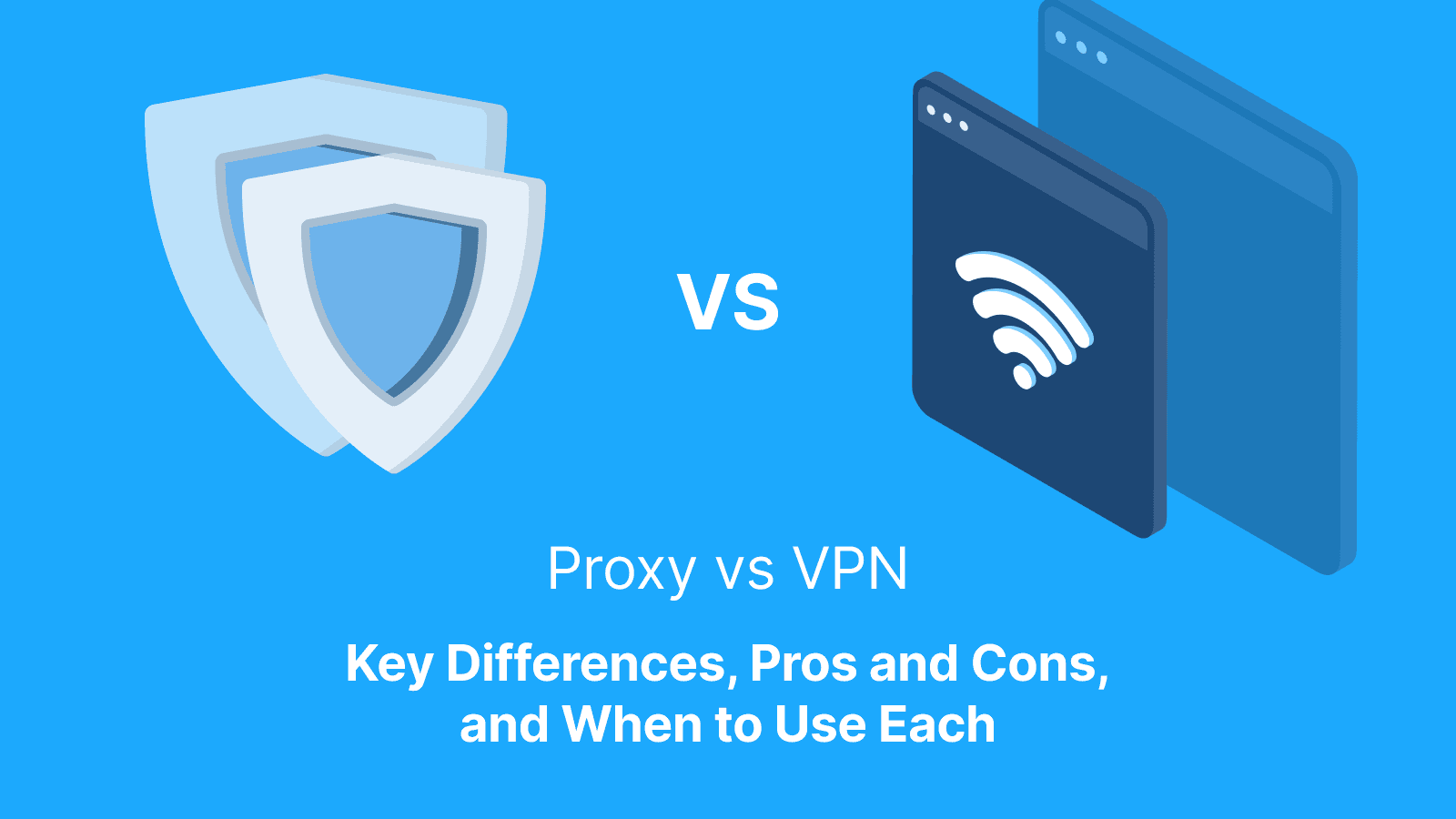

Proxies and VPNs are both tools that route internet traffic through intermediary servers, but they serve different purposes. A proxy usually operates at the app, browser, or tool level to route selected traffic through another IP address, though some systems can apply proxy settings more broadly. A VPN typically encrypts device-wide traffic through a secure tunnel to improve privacy and security, unless split tunneling or app-specific routing is enabled.
Although both are widely used for online protection and unrestricted access, many users still misunderstand the trade-offs between speed, privacy, encryption, and security. That confusion matters more than ever as cyber threats and online tracking continue to grow. According to Forbes Advisor, 41% of travelers reported having their information compromised while using public Wi-Fi. This highlights the risks associated with unsecured internet connections and poor online protection choices.
Choosing the wrong tool or relying on one without understanding its limitations can leave users exposed to data interception, tracking, slower browsing, or a false sense of security. Understanding how proxies and VPNs differ makes it easier to choose the right level of privacy, performance, and protection for different online activities.
VPN vs. Proxy: What's the Difference?
A proxy server typically works at the application level by rerouting traffic from a specific app, browser, or connection request, while a VPN operates at the operating system or network level, encrypting and routing all internet traffic from a device through a secure tunnel. VPNs encrypt data before it leaves a device, helping protect sensitive information. Most proxy servers, on the other hand, do not encrypt traffic, meaning data can still be exposed even if the user’s IP address is hidden.
There is also a difference in traffic scope between a VPN and a proxy server. A proxy only affects the applications or browsers configured to use it. This makes it suitable for tasks such as bypassing geo-restrictions, web scraping, content filtering, or managing multiple IP addresses.
A VPN, on the other hand, secures all traffic across a device, including apps, browsers, background services, and system processes. This makes it ideal for privacy protection, secure remote access, and encrypted browsing.
What a Proxy Actually Does
A proxy server is like the middleman between a device and the destination website. Requests are forwarded through the proxy IP address, thereby concealing the user’s IP. A proxy does not encrypt traffic on its own. Therefore, the data traveling through the proxy is still readable in transit if the destination site runs on HTTP.
What a VPN Actually Does
A VPN creates an encrypted tunnel between a device and a remote server, which makes the data unreadable to anyone intercepting it. Unlike a proxy, a VPN typically applies to the device as a whole and covers every app and browser session running on that device simultaneously.
The Simplest Rule
Use a VPN on untrusted shared networks, such as public Wi-Fi, hotels, airports, or unfamiliar hotspots. Use proxies when you need to control where specific app, browser, scraper, or automation traffic appears to come from.
Proxy vs. VPN Comparison Table
The table in the next section offers a quick guide to choosing between a proxy and a VPN. It covers their differences across encryption, speed, privacy, cost, and best use cases.
Criteria Used in the Table
The comparison table below evaluates proxies and VPNs across eight criteria. These are:
-
Encryption: whether your traffic is protected in transit
-
Traffic coverage: which apps or protocols are affected
-
IP and location control: how precisely you can target a country, city, or ISP
-
Speed and stability: the speed and reliability of the connection under real conditions
-
Ease of setup: how quickly you can get it running with no technical difficulties
-
App compatibility: the tools, browsers, and platforms it works with.
-
Logging and trust risk: what data the provider keeps and what that means for your privacy.
-
Best use cases: the specific scenarios where each option actually makes sense to use
Here is a detailed side-by-side comparison of VPNs and proxy servers based on their security, encryption, traffic routing, performance, and common use cases.
| Feature | Proxy | VPN | Best For | Watch Outs |
|---|---|---|---|---|
| IP Masking | Masks the user’s IP address by routing requests through an intermediary server, usually on an app or browser level | Masks the user’s IP address across the entire device through an encrypted tunnel | Both are useful for bypassing geo-restrictions and hiding user identity online | Proxies may expose the real IP through DNS or WebRTC leaks, while VPNs can leak traffic if they lack a kill switch or DNS leak protection |
| Encryption | Most proxies do not encrypt traffic, though HTTPS proxies encrypt browser traffic, and SOCKS5 handles broader traffic types without encryption | Encrypts all internet traffic using secure tunneling protocols | VPNs are better for handling sensitive data, banking, remote work, and public Wi-Fi security | Free proxies often transmit traffic in plain text, while weak VPN protocols like PPTP are outdated and vulnerable |
| Speed | Usually faster because traffic is not heavily encrypted | Slightly slower due to encryption overhead and secure tunneling | Proxies are better for scraping, automation, and lightweight browsing tasks | Overloaded proxy pools can cause unstable connections, while distant or overcrowded VPN servers may significantly reduce speeds |
| Authentication | Often uses IP whitelisting, usernames/passwords, session tokens, or no authentication at all | Requires authenticated client access before establishing a secure connection | VPNs are better for controlled corporate or personal network access | Open proxies without authentication can be abused by malicious users, while poorly secured VPN credentials can expose entire accounts |
| Traffic Coverage | Only routes traffic from configured apps, browsers, or software | Routes and encrypts all device traffic, including background processes | Proxies work well for app-specific routing; VPNs are better for complete privacy protection | Applications not configured with a proxy may bypass it entirely, while VPN split tunneling can accidentally expose traffic if misconfigured |
| Cost | Generally cheaper, especially for datacenter proxies or shared proxy plans | Typically more expensive because of the encryption infrastructure and security features | Proxies are cost-effective for large-scale automated traffic tasks | Extremely cheap proxies may be blacklisted or shared among many users, while free VPNs may monetize user data or inject ads |
| Use Case Fit | Best for web scraping, SEO monitoring, ad verification, sneaker copping, and managing multiple accounts | Best for encrypted browsing, remote work, streaming protection, and privacy-focused internet use | Proxies suit automation-heavy workflows; VPNs suit security-focused browsing | Using proxies for sensitive logins can expose credentials, while VPNs may trigger CAPTCHA or streaming platform blocks |
| Protocol Support | Common protocols include HTTP, HTTPS, and SOCKS5 | Common protocols include OpenVPN, WireGuard, IKEv2/IPSec, SSTP, and L2TP/IPSec | SOCKS5 proxies support broader traffic handling, while WireGuard and OpenVPN provide strong VPN security | HTTP proxies only support web traffic, while older VPN protocols like L2TP/IPSec may face firewall restrictions or slower performance |
Further reading: What Is Data Sourcing? How It Works, Examples, Strategies, and Types and What Is a Proxy Server Address and How to Find It?
Which Is Safer: VPN or Proxy?
A VPN is safer for protecting traffic on public networks because it encrypts all traffic from the device to the server. While proxies can handle routing tasks safely when the target site uses HTTPS, they are not a replacement for a secure tunnel.
By default, a proxy doesn't encrypt traffic. In other words, users’ data remains exposed on an unsecured network even if the IP address is masked. Therefore, use a VPN for sensitive tasks as it provides a level of protection that a proxy alone cannot replicate.
The HTTPS Reminder
HTTPS encrypts the content between a browser and the destination website, but it doesn't protect the path a traffic takes. A VPN, on the other hand, adds a separate encryption layer that covers the connection between the device and the VPN server. Where a proxy connection runs over plain HTTP, the traffic between the device and the proxy server is exposed.
Which Is More Private: VPN or Proxy?
A VPN hides traffic from the local network, ISP, and anyone monitoring the connection between the device and the internet. A proxy mainly changes the IP address a website sees, while other data may remain exposed. Neither tool makes you untrackable because cookies, browser fingerprints, and active logins still exist regardless of which is in use.
What Websites Can Still Track
Websites can still track returning visitors through the cookies stored in browsers, account logins, and device fingerprints. These footprints are built from screen resolution, browser version, installed fonts, and hardware specs. Additionally, it can track behavioral patterns, including typing speed and mouse movement. While proxies and VPNs hide IPs, other tracking signals remain intact.
What Your ISP Can Still See
Your ISP can see every domain you visit when you’re not using a VPN, request timing, and the volume of data exchanged. With a VPN, your ISP can see that you are connected to a VPN server as well as how much data was moved. However, it doesn’t see the specific destinations or content inside that tunnel, including sites visited and services used.
What's Faster: VPN or Proxy?
Speed depends on server distance and load. Proxies can be faster for targeted tasks. This is because you can pick exits closer to the target. A VPN, however, is stable for general browsing if the server is nearby and not overloaded. Measure both VPN and proxy under real conditions to know which is faster for your specific setup.
Below are the specifics to look out for when measuring and comparing speed between a proxy and VPN:
Latency Vs. Download Speed
Latency is the delay you experience before data begins to move, while download speed measures how fast data is transferred once it starts flowing. For browsing, latency matters more because every click triggers a new request. But for large file transfers or streaming, download speed wins.
Stability Over Time
Getting a fast result consistently is the goal. Run your tests at different times of day and across different days. Watch for patterns like throttling as well as sudden speed drops after sustained use.
Proxy Server Vs. VPN: What Does Each One Cover?
A proxy typically only reroutes traffic from a specific app or browser. A VPN, by contrast, tunnels all traffic at the device level. A proxy doesn't provide security for the entire device but only conceals the user's IP address for a specific browser or app.
Per App Vs. Device Wide
Most VPN and proxy tools let you choose what gets routed through them. With per-app mode, only the apps you pick use the proxy. Your browser goes through it, but apps like Spotify and email can connect normally.
Device-wide mode sends everything through with no exceptions. If you only need anonymous browsing, per-app is the smarter choice as it keeps everything else running at full speed.
Residential Proxy Vs. VPN: What's Different?
Residential proxies route traffic through IPs tied to real consumer devices and home networks. Many consumer VPNs use shared datacenter IPs, which may already have reputation history. Sites are generally less likely to flag residential IPs than heavily reused datacenter IPs, although detection still depends on behavior, fingerprinting, reputation, and request patterns.
When Residential Proxies Help
Residential proxies are useful for geo-accurate views and ad verification. They're also the practical choice for large-scale data tasks where data center IPs are blocked quickly.
When VPN is the Better Pick
A VPN offers broad device protection on untrusted networks. It protects your browser, apps, and email client, and is useful for hiding your activity from your ISP. It can also help bypass geo-restrictions placed by streaming services.
SOCKS5 proxy Vs. VPN: What's the Difference?
A SOCKS5 proxy and a VPN both hide your IP address. However, a SOCKS5 proxy only routes traffic for specific apps and usually does not encrypt your data, while a VPN encrypts and protects all internet traffic on your device. SOCKS5 is typically faster and better for tasks like torrenting, gaming, or automation, whereas a VPN offers stronger privacy, security, and protection on public networks.
When SOCKS5 is a Better Fit
SOCKS5 is a better fit when you need to route traffic at the application level. It works with Selenium scrapers and curl test suites. It also works with tools like Proxychains. SOCKS5 moves the data regardless of the protocol you’re using, whether HTTP, FTP, or raw TCP. This makes it ideal for dev testing environments that mix different traffic types.
SOCKS5 is the cleaner choice for building a multi-threaded bot and running automated browser tests across different IPs. Additionally, it is ideal for routing a single app through a proxy.
When VPN is a Better Fit
VPN is ideal for public Wi-Fi as it encrypts your entire internet connection. It also offers broad coverage to include every app on your device at once.
DNS Proxy Vs. VPN: What’s the Difference?
A DNS proxy serves as an intermediary between your device and a DNS server. It intercepts DNS queries, resolves them on your behalf, and filters unwanted domains or cache. This helps to reduce latency. However, a VPN routes your actual traffic through an encrypted tunnel.
A DNS proxy doesn’t provide the privacy or security that a VPN does. It only controls how domain names get resolved, but it does not control the data that flows in and out.
When DNS Proxy Is Useful
A DNS proxy works best on managed networks, including schools, offices, or ISPs. It does not send DNS queries directly to the Internet, but first passes them through a proxy. The proxy can block malware, filter content, enforce rules set by the administrator, or log activity.
When VPN is Useful
A VPN is essential on public Wi-Fi, preventing access to your data if interception occurs. It also prevents your ISP from tracking your browsing.
Tor Vs. VPN Vs. Proxy: Which One Should You Use?
Tor is a multi-hop privacy network that routes your traffic through multiple relays, offering strong anonymity. However, it's slow, and many sites block it outright. Use a VPN for general privacy and a proxy to redirect traffic quickly.
A VPN wraps everything in one encrypted tunnel. It is faster and more practical for daily use. Meanwhile, a proxy just reroutes specific traffic, either from a browser or an app. It has no guaranteed encryption and may be used for basic geo-bypassing.
Practical Trade-offs
Free proxies are often slow and unreliable because many people share the same server. VPNs are faster and easier, but they reroute all device traffic, not just the browser.
Browser extensions are quick to set up and are scoped to web browsing only. However, they may break certain sites or slow down media-heavy pages.
While an extension may be used to unblock a webpage quickly, purchase a VPN for device-wide privacy.
Proxy Vs. VPN for Business: What's Better?
Most businesses often use both a proxy and a VPN. A VPN protects employees by encrypting their connections and helps keep remote workers secure on public networks.
Proxies are great for location control at scale. They can be used for quality assurance (QA) testing across regions or monitoring competitors. You can also use them to run data collection without getting blocked.
VPN for Remote Work
A VPN is useful when working remotely. It creates an encrypted tunnel between your device and your company's network and makes it possible to access internal tools as if you were sitting in the office. Also, a VPN protects users on unknown networks by making their traffic unreadable to anyone else on that connection.
Proxies for Quality Assurance and Data Tasks
For geo testing, rotating proxies let you verify how your app or scraper behaves from different regions. It can be used to check localized content or pricing. Residential proxies look like real users. As a result, sites don’t flag them like datacenter IPs. This makes them ideal for monitoring tasks.
If your tool runs parallel sessions, give each thread its own proxy. This stops rate limiting and keeps every session separate and clean.
How Do You Choose Between VPN Vs. Proxy?
To choose between a VPN and a proxy, do the following:
-
Define Your Goal: Choose a proxy for tasks like web scraping, automation, or managing multiple accounts, and a VPN for privacy, secure browsing, and encrypted internet access.
-
Decide if You Need Encryption: If protecting your data from ISPs, hackers, or public Wi-Fi threats matters, a VPN is the better option because proxies usually do not encrypt traffic.
-
Decide If You Need Location Control or Many Parallel Sessions: Proxies are better for rotating IPs, assigning different locations to different sessions, or running multiple accounts simultaneously.
-
Decide the Scope: Use a proxy when you only want specific apps or browsers routed through another IP, and a VPN when you want all device traffic protected automatically.
-
Test and Measure Latency: Compare connection speeds and response times because proxies are often faster, while VPN encryption can introduce additional latency.
Common Wrong Picks
One of the most common mistakes is using a proxy for sensitive browsing or public Wi-Fi connections, since most proxies do not encrypt traffic and cannot properly protect your data. Another frequent issue is choosing a VPN for large-scale automation, scraping, or multi-account management, even though proxies are usually better suited for handling multiple sessions and IP rotations.
Many users also assume all proxies provide strong anonymity, when in reality, low-quality providers can leak data or log activity. Others focus only on speed and overlook stability, uptime, and latency consistency, which often matter more in real-world use. Compatibility is another overlooked factor, as some apps and platforms work better with SOCKS5 proxies while others require full-device VPN routing to function correctly.
When Should You Use Live Proxies Instead of a VPN?
A VPN is useful for personal privacy and secure browsing. However, AI scraping, automation, and large-scale data collection often require more flexibility than a single VPN IP can provide. This is where Live Proxies become the better option.
Unlike VPNs that usually assign one shared location and IP, Live Proxies offers rotating residential and mobile proxies with access to 55+ countries and city-level targeting. This allows users to collect localized search results, monitor regional pricing, and test geo-specific content with far greater accuracy.
Live Proxies also supports rotating and sticky sessions. Rotating proxies automatically change IPs to reduce detection during scraping. Sticky sessions, on the other hand, maintain the same IP for up to 24 hours for account logins and multi-step workflows.
In addition, the platform privately allocates IP pools to customers. This helps to reduce IP overlap on the same targets and improve reliability for high-volume operations. For businesses handling web scraping, sneaker copping, ad verification, SEO monitoring, or AI data collection, Live Proxies provides the scale, geographic precision, and session control that a standard VPN cannot offer.
Further reading: What Are Mobile Proxies and How Do They Work? Pros and Cons and What Are Rotating Proxies? Setup, Pros, Cons, Types, Alternatives, Use Cases.
Conclusion
VPN is your go-to for encrypted protection on untrusted networks, while proxies win when controlled routing is the goal. Both tools are used to solve different problems. What you're actually trying to achieve determines which one you use. Write down your goal and run a small test before you commit.
FAQs
Can I use a proxy and a VPN together?
Yes, you can use a proxy and a VPN together. The VPN encrypts your connection, while the proxy routes traffic through different IPs on top of it. It’s mainly useful for advanced use cases like automation or multi-account setups, but it can add complexity and reduce speed.
Why do some sites block VPNs?
Some sites block VPNs to prevent abuse, fraud, and automated activity, since VPNs make it harder to trace users and are often used to bypass geo-restrictions or create multiple accounts. They also do it to enforce licensing or regional content rights and to reduce suspicious traffic coming from shared or known VPN IP ranges that are frequently flagged or blacklisted.
Why does my VPN change my IP but not what I see in my account?
A VPN changes your network identity by replacing your IP address, but it does not affect your account data or session state. Websites can still recognize you through cookies, login sessions, device fingerprints, and stored account settings. As a result, your account view remains the same even though your IP and apparent location have changed.
Is a free proxy or free VPN safe?
Free proxies and free VPNs are generally not very safe. Free proxies usually offer no encryption, so your traffic can be exposed, while free VPNs may log data, show ads, or use weak security. They can be fine for light or non-sensitive use, but for privacy or anything important, paid reputable services are safer.
What should I test when comparing VPNs vs. proxies?
When comparing VPNs and proxies, test speed and latency, IP stability and rotation behavior, and how accurately each service shows your location. Also, check success rates on the sites you care about and overall connection reliability under real usage.
When should I use Live Proxies instead of a VPN?
Use Live Proxies when you need fast, reliable IP rotation and session control for tasks like web scraping, automation, ad verification, or managing multiple accounts. It’s better than a VPN when your priority is high-speed requests, location-specific access, or running many parallel sessions, rather than encrypting all your device traffic.