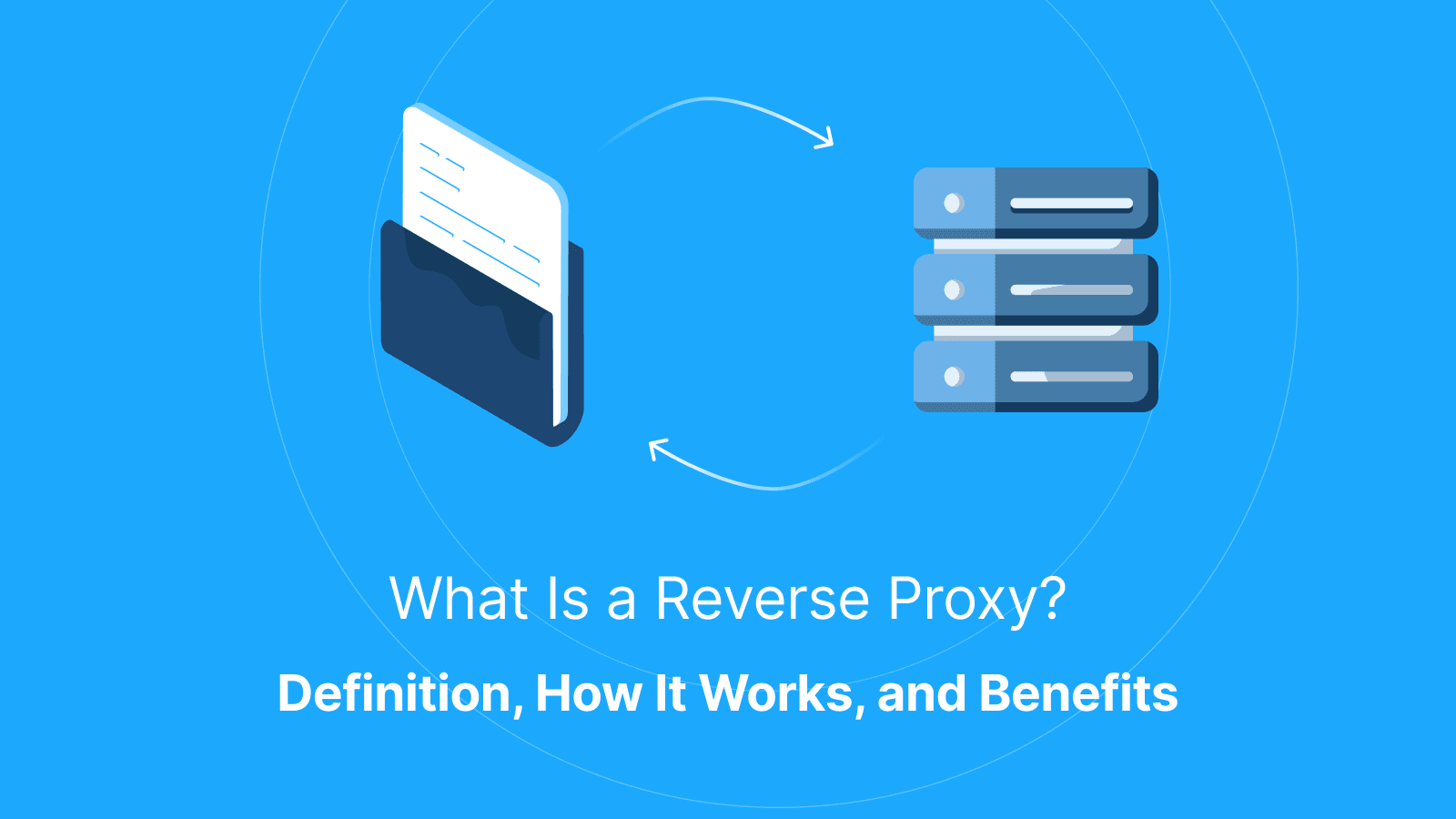

A reverse proxy is a server that sits in front of your website or application servers and receives incoming traffic first, then forwards requests to the correct backend service. Instead of users connecting directly to a server, they connect to the reverse proxy (the middleman). The proxy becomes the public-facing entry point for security, routing, HTTPS handling, and performance optimization.
Directly exposed servers are harder to protect and manage. According to the Uptime Institute 2024 survey, 53% of operators report that their organizations experienced a significant outage within a three-year period, with misconfiguration, operational errors, and exposed services among the leading causes.
Reverse proxies help solve this by centralizing control at the edge of your infrastructure. They allow teams to protect origin servers, manage HTTPS more easily, route traffic efficiently, and reduce backend load through caching and connection handling.
What is a Reverse Proxy?
A reverse proxy is a server that sits between internet users and backend infrastructure. It receives incoming requests first and forwards them to the appropriate application, server, or service on behalf of the client. The reverse proxy becomes the single public entry point and helps shield application servers from direct exposure to the internet.
Once a reverse proxy is in place, backend servers can remain private and inaccessible from the public internet. Users communicate with the proxy, while the proxy handles communication with the backend systems behind it. Teams can also move services between servers, add new infrastructure, or change backend architecture without changing the public-facing website address or application endpoint.
Simple Reverse Proxy Example
When a user opens your website in their browser, the reverse proxy receives the request first. Under normal configurations, the user interacts with the reverse proxy rather than directly with the internal backend infrastructure. The proxy then decides which backend server should handle the request, forwards it, receives the response from that server, and sends the response back to the user. The internal server addresses are not exposed to the user because the public interaction happens through the reverse proxy.
Reverse Proxy vs Direct-to-server
In a direct-to-server setup, users connect straight to your application server over the internet. This means the server is publicly exposed and can be reached directly by scanners, bots, or attackers.
With a reverse proxy in front, public traffic communicates with the proxy first. Backend servers can remain private when direct public access is properly restricted. This separation can improve security, centralize controls, and simplify traffic management.
Reverse Proxy vs CDN
A CDN and a reverse proxy overlap in some ways because both sit in front of your origin server and can cache or filter traffic. However, they differ in function.
A CDN mainly focuses on distributing content closer to users around the world for speed and availability. A reverse proxy, on the other hand, controls and manages traffic to backend services. Many CDNs include reverse-proxy functionality, but you can run your own reverse proxy without using a CDN.
What Does a Reverse Proxy Do?
A reverse proxy receives incoming requests, decides where they should go, applies centralized rules, and returns responses to users. It acts as the traffic control layer in front of your infrastructure.
The most common things a reverse proxy does include routing traffic, handling HTTPS connections, and optimizing responses.
Routing By Host and Path
A reverse proxy routes traffic to different backend services based on the domain, subdomain, or URL path. For example, api.example.com may go to an API service while app.example.com goes to the main application. This helps keep systems organized and scalable.
HTTPS Handling
A reverse proxy manages HTTPS connections centrally so backend servers do not each need separate certificate management. This simplifies certificate renewals, reduces configuration mistakes, and ensures traffic is encrypted consistently across services.
Response Handling
A reverse proxy can optimize responses before sending them back to users. For example, it may compress responses, reuse backend connections, or apply consistent headers across applications. These optimizations help improve performance and reduce backend resource usage.
What Is the Purpose of a Reverse Proxy?
The goal of a reverse proxy is to give organizations a controlled layer between the public internet and their backend systems. Teams use reverse proxies to centralize protection, improve reliability, and simplify infrastructure management as traffic and services grow.
Most reverse proxy deployments are built around three purposes, which include security, performance, and operational control.
Security Purpose
A reverse proxy reduces direct exposure of servers by making the proxy the only public-facing entry point. This makes it easier to apply protections like rate limiting, request filtering, IP controls, and security headers consistently without modifying application code on every service.
Performance Purpose
A reverse proxy helps improve performance by caching responses, compressing traffic, and reducing repeated work on backend servers. This results in greater stability during traffic spikes because the backend handles fewer unnecessary requests.
Operations Purpose
A reverse proxy simplifies infrastructure changes by acting as a stable layer in front of backend services. Teams can add servers, remove unhealthy ones, shift traffic gradually during deployments, or migrate infrastructure without changing the public website address. This reduces operational risk and helps minimize downtime during updates.
Further reading: Residential vs Datacenter vs Mobile Proxies: The Comparison for AI Teams and What Is Proxy Testing? Best Tools and How to Test Proxies Online.
What Is a Reverse Proxy Used For?
Reverse proxies are commonly used to shield origin servers from direct exposure, distribute traffic across multiple systems to prevent downtime, and control who can access protected resources. Below is an explanation of how these functions work:
-
Protecting the Origin: A reverse proxy, when in place serves as a middleman between the public and the origin server. This reduces direct attack exposure and makes it easier to change hosting providers or backend architecture.
-
Load Balancing and Failover: Reverse proxies are commonly used to distribute traffic across multiple backend servers so no single server becomes overloaded. They can also support failover by detecting unhealthy servers and temporarily stopping traffic from reaching them.
-
Authentication Gates: Reverse proxies act as a centralized authentication layer for internal tools, dashboards, or protected routes. Instead of implementing separate access controls in every application, the reverse proxy can enforce consistent login or access policies before requests ever reach the backend service.
How Does a Reverse Proxy Work?
A reverse proxy works by sitting between users and backend services, handling requests and responses on behalf of the application servers. To work correctly in production environments, reverse proxies need to preserve client information, support long-lived connections, and enforce sensible limits without breaking real application behavior.
Client IP and Headers
Because all traffic passes through the reverse proxy, backend servers may otherwise only see the proxy’s IP address instead of the real visitor. To solve this, the reverse proxy forwards client information through trusted headers so backend logs, analytics, security rules, and rate limits can still identify the original user correctly.
WebSockets and Long Connections
Some applications rely on long-lived connections for real-time updates, chat systems, dashboards, or live notifications. If the reverse proxy is not configured to support connection upgrades and persistent connections properly, users may experience random disconnects or broken live features.
Timeouts and Size Limits
Reverse proxies often enforce request timeouts and upload size limits to protect backend systems from abuse or excessive resource usage.
However, overly strict limits can break uploads, APIs, or slow requests, while loose limits may expose the infrastructure to unnecessary risk. Configurations should therefore be tested against realistic application traffic and behavior.
What is a Reverse Proxy Cache?
A reverse proxy cache is a caching feature that stores temporary copies of responses from the backend server. When users request the same content again, the reverse proxy serves the cached version instead of forwarding every request to the origin server. This reduces backend load, improves response times, and helps systems handle traffic spikes more efficiently.
What to Cache First
The safest starting point for caching is static or rarely changing content such as images, CSS files, JavaScript assets, and public-facing pages. These types of content are predictable and shared across many users, so caching them provides performance gains with minimal risk.
What Not to Cache
Content that is personalized or tied to a logged-in user should generally not be cached by default. If caching is applied incorrectly to private or user-specific pages, one user could potentially see another user’s data. This is one of the most serious misconfiguration risks in reverse proxy setups.
Cache Variations
The same URL can produce different content depending on factors like language, device type, cookies, or authentication state. If a reverse proxy does not correctly account for these variations, it may serve the wrong cached version to users. Caching rules must be carefully designed and tested to ensure each user receives the correct version of content.
Reverse Proxy vs Forward Proxy: What’s the Difference?
A reverse proxy sits in front of servers to manage and protect incoming traffic to a website or application, while a forward proxy sits in front of users to control how they access external websites on the internet. In other words, a reverse proxy protects and manages a server, while a forward proxy controls and routes a client’s outbound traffic.
Who Controls It
A forward proxy is controlled by an organization, ISP, or even an individual user. But a reverse proxy is controlled by the website or application owner to manage incoming traffic before it reaches backend systems.
What Problem It Solves
A forward proxy is used to filter, monitor, or route user traffic going out to the internet. However, a reverse proxy secures, scales, and optimizes services coming into a server environment. While one represents the user outward, the other represents the server inward.
What Is an Nginx Reverse Proxy?
An NGINX reverse proxy is a reverse proxy setup built with NGINX software that sits between users and backend servers. It receives incoming requests, forwards them to the appropriate origin server, and returns the response to the user while acting as an intermediary layer between both sides. It is widely used because it is fast, stable, and flexible enough to handle routing, HTTPS termination, caching, and load balancing in production environments.
When Nginx is a Good Fit
Nginx is a strong choice for teams that need full control over traffic handling and expect to scale or operate multiple services behind one domain. It is commonly used in production systems where performance, configurability, and fine-grained control over routing and requests are important.
Core Nginx Concepts
Nginx works with concepts like upstream servers (groups of backend services), routing rules (how requests are matched and forwarded), timeouts (how long to wait for responses), and header forwarding (passing client and request information to backend services). Because it is highly configurable, mistakes in setup can affect availability, so changes are typically tested carefully and rolled back quickly if issues arise.
What Is a Caddy Reverse Proxy?
A Caddy reverse proxy is a configuration where Caddy acts as the front layer for one or more backend services. It is commonly used to simplify HTTPS configuration, manage domain routing, and control how requests reach internal services.
Caddy is designed to reduce configuration overhead compared to more manual reverse proxy setups. This makes it popular for teams that want a reverse proxy that works with minimal setup while still covering common production needs like routing and secure connections.
When Caddy Is a Good Fit
Caddy is a good choice for small to medium systems, simpler architectures, or teams who prioritize fast setup, automatic HTTPS, and low maintenance overhead over highly customized traffic rules.
Core Caddy Concepts
Caddy typically operates around simple routing definitions that map domains or paths to backend services, along with built-in automatic HTTPS handling. Although much of the complexity is handled automatically, teams still need to validate configurations in staging environments before production use. This is especially required when dealing with multiple services or complex routing logic.
What are Common Reverse Proxy Mistakes?
Reverse proxy issues usually originate from how it is configured in real systems. Even small misconfigurations can result in major performance issues. These problems often appear only under real traffic conditions, which makes them harder to detect during setup.
Here are some of the common mistakes to look out for.
-
Caching Private Content: Accidentally caching responses that contain user-specific or authenticated data may result in one user seeing another user’s session data or personalized content. To avoid this, exclude authenticated routes and dynamic user content from caching unless caching rules are explicitly designed and carefully validated.
-
Origin Exposure to the Internet: Instead of restricting access to only the revers proxy, backend servers may become publicly accessible. This removes any security benefits the proxy was meant to provide.
-
Broken Upgrades and Timeouts: If connection handling is not properly configured, Reverse proxies can interfere with real-time requests. This may affect file uploads, streaming responses, or WebSocket-based features and result in sudden disconnects, incomplete requests, or inconsistent API behavior.
How Does a Reverse Proxy Relate to Outbound IP Proxies?
Reverse proxies handle incoming traffic to your website or application. It helps protect and manage your infrastructure at the edge. Meanwhile, an outbound proxy handles outgoing requests from your system to external websites or services. It helps you control how you access external systems for testing, research, or data collection.
How Can Live Proxies Help Test Reverse Proxy Behavior Across Regions?
Reverse proxies often deliver different content, security checks, caching behavior, or rate limits depending on a user’s location. Live Proxies helps businesses test these regional differences by providing rotating residential and mobile proxies across 55+ countries with city-level targeting.
With access to real residential IPs, teams can simulate traffic from specific locations to verify how reverse proxies respond to users in different regions. This is useful for testing geo-based content delivery, CDN routing, localized pricing, bot protection rules, and regional access restrictions.
Live Proxies also supports sticky sessions for up to 24 hours. This allows testers to maintain consistent regional sessions when analyzing login flows, caching behavior, or session persistence behind reverse proxies. Combined with private IP allocation and high-quality residential IPs, these features help companies test reverse proxy performance more accurately while reducing detection and connection instability.
Further reading: What Does “Configure Proxy” Mean? How to Configure Proxy on Wi-Fi and iPhone and What Are Proxies for AI? How They Work, and Best Use Cases.
Conclusion
A reverse proxy is a decision point for how traffic enters and moves through a system. When used correctly, it improves security by hiding origin servers, improves reliability through load balancing and failover, and improves performance through caching and connection management. Getting it right requires clear rules, careful testing, and a good understanding of how real user traffic behaves.
FAQs
Do I need a reverse proxy if I already use a CDN?
Not always. Many CDNs already act as reverse proxies by sitting in front of your origin and handling caching, routing, and some security controls. However, a separate reverse proxy may still be useful for internal routing between services, custom authentication layers, or fine-grained control over headers, timeouts, and service-to-service traffic.
Can a reverse proxy break SEO or indexing?
Yes, if it is misconfigured. Common issues include incorrect redirects, missing or duplicated canonical headers, caching the wrong page versions, or accidentally blocking search engine crawlers. These can affect how search engines see and rank your site.
Why do I see redirect loops after adding a reverse proxy?
Redirect loops usually happen when HTTPS handling or host forwarding is misconfigured, or when both the reverse proxy and backend are issuing conflicting redirects. This creates a cycle where requests keep bouncing between rules. To troubleshoot this, trace one request path and remove duplicate redirect logic at either the proxy or application layer.
How do I keep the real client IP in my backend logs?
Because all traffic passes through the reverse proxy, the backend may otherwise only see the proxy’s IP. To fix this, the proxy must forward the original client IP using trusted headers, and the backend must be configured to read them only from known proxies.
Why do WebSockets or live features stop working behind a reverse proxy?
This usually happens when the reverse proxy is not configured to support connection upgrades or long-lived connections properly. As a result, real-time features like chat or live dashboards may disconnect unexpectedly.
What should I cache first to avoid mistakes?
Start with static assets like images, CSS, JavaScript, and other public files. These are safe to cache and provide immediate performance benefits. Avoid caching authenticated or user-specific content unless rules are explicitly defined and tested.
What is the safest way to roll out a reverse proxy without downtime?
The safest approach is incremental rollout. Start with one service, validate behavior, then gradually shift traffic while monitoring errors, latency, and logs. Always keep a rollback option ready in case of misconfiguration.
Is Nginx or Caddy easier for a non-dev team to maintain?
Nginx offers more control and flexibility but requires more configuration management. Caddy is simpler to maintain, especially because it handles HTTPS automatically. The choice depends on how much control versus simplicity your team needs.
How can outbound proxies like Live Proxies help with reverse proxy QA?
Outbound proxies like Love Proxies help you test how your application behaves from different regions, IPs, or networks. This is useful for validating geo-based content, pricing differences, and regional behavior while your reverse proxy handles traffic management on your own infrastructure.