
Proxy Protocol is a lightweight metadata header that preserves the original client IP address and port when traffic passes through a proxy or load balancer. Without it, backend systems often log the IP address of the last infrastructure hop instead of the real visitor. This affects rate limits, fraud detection, security filters, and analytics accuracy.
A major challenge associated with proxy-based architectures is the loss or corruption of client identity information. This can lead to incorrect access control decisions, flawed logging, and weaker security enforcement. These issues are part of broader misconfiguration risks in networked systems, which are a significant contributor to security incidents. According to the IBM Cost of a Data Breach Report, the average cost of a data breach reached $4.88 million, with security misconfigurations and control failures being key contributing factors.
Understanding proxy protocol is important because it ensures that trusted proxies can accurately pass client identity data to backend services. Without it, organizations risk making security and operational decisions based on incomplete or misleading connection information.
What is Proxy Protocol?
A proxy protocol is a standardized format used between a proxy (like a load balancer or reverse proxy) and a backend server to pass original client connection information that would otherwise be lost when traffic is forwarded. Instead of the backend only seeing the proxy’s IP, the proxy protocol prepends a small header at the start of the connection. This header contains metadata such as the client’s source IP, destination IP, and ports. The backend reads this before processing application data, allowing it to correctly identify the real client.
Unlike a VPN or outbound proxy service, proxy protocol is not used to hide traffic or reroute browsing activity. It is an infrastructure feature designed to preserve connection metadata between trusted systems.
Why Backends Lose the Real Client IP
Backends lose the real client IP because they only see the last system that connected to them. In many deployments, that last system is a load balancer or reverse proxy sitting between users and the application server. From the backend’s perspective, the proxy becomes the client.
This creates operational problems as security systems cannot distinguish real users from automated abuse if every request appears to come from one shared address. Analytics platforms also lose geographic and behavioral accuracy because traffic attribution becomes tied to infrastructure instead of actual visitors.
What Data Does It Carry?
Proxy Protocol carries the original client IP address and source port, along with the destination IP and port used for the connection. Some implementations also support additional metadata depending on the version and infrastructure stack.
Proxy IP vs Proxy Protocol
A proxy IP usually refers to the IP address of an outbound proxy used to route requests to websites or external services. Businesses use proxy IPs for tasks such as geo-testing, web scraping, session management, and location-based quality assurance (QA).
In contrast, the proxy protocol serves a completely different purpose. It operates between trusted infrastructure components to preserve client connection details after traffic passes through a load balancer or reverse proxy. So, while proxy IP changes the apparent origin of outbound traffic, proxy protocol preserves the original identity of inbound traffic.
When Should You Use Proxy Protocol?
Use Proxy Protocol when your backend needs the real client IP address, but traffic reaches it through a TCP load balancer, reverse proxy, or TLS passthrough layer that does not inject normal HTTP forwarding headers. It is most useful in layer 4 environments where the backend would otherwise see only the IP address of the proxy or load balancer.
This is common in architectures that prioritize encrypted passthrough traffic, high-performance TCP routing, or mixed application protocols beyond HTTP. In those setups, the proxy protocol preserves connection identity without depending on HTTP headers.
Common Use Cases
Teams use Proxy Protocol when accurate client attribution directly affects operations, security, or compliance. The most common use cases include:
-
Rate Limiting: IP-based throttling works correctly because the backend sees the real visitor instead of the load balancer.
-
Abuse Detection: Security tools can identify suspicious behavior from individual clients rather than treating all traffic as one shared source.
-
Fraud Prevention: Login monitoring, transaction scoring, and anomaly detection systems rely on accurate client identity data.
-
Geo Analytics: Analytics platforms can map traffic to the correct regions and networks instead of internal infrastructure locations.
-
Compliance Logging: Audit trails remain reliable because logs preserve the originating client connection details.
-
Incident Investigations: Security teams can trace malicious requests back to the actual source during forensic analysis.
These use cases matter most in distributed environments where multiple infrastructure layers sit between users and applications.
When You Do Not Need a Proxy Protocol
You do not need Proxy Protocol if your edge proxy already terminates HTTP or HTTPS traffic and forwards trusted headers correctly. In many web stacks, headers preserve client IP information without requiring connection-level metadata. Therefore, adding proxy protocol in those environments increases operational complexity because both the sender and receiver must stay aligned to avoid broken traffic, invalid logs, or parsing failures.
Further reading: What Is a Proxy Server Address and How to Find It? and What Is an Open Proxy? Risks, Examples and Alternatives.
How Does Proxy Protocol Work?
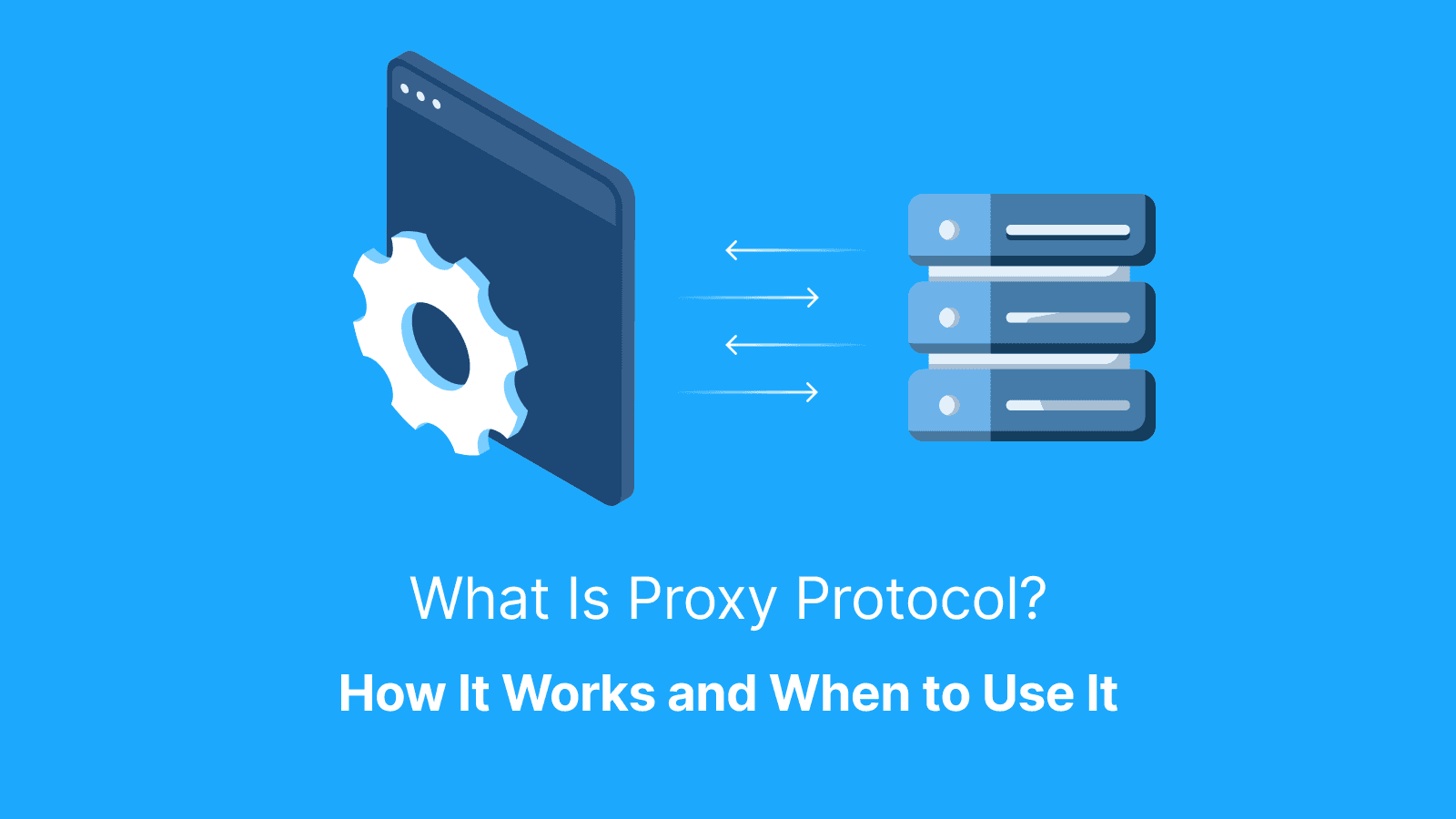
Proxy protocol passes client connection details from one infrastructure layer to another before the actual application traffic begins. A client first connects to a front-facing system such as a load balancer or reverse proxy. That front layer then opens a separate connection to the backend server and sends a small proxy protocol header that contains the original client IP and port.
The backend reads this header first, restores the real client identity, and then continues processing the normal traffic flow. This process happens at the connection level, which is why the proxy protocol works with protocols beyond HTTP. The most important operational requirement is that the sender and receiver must both be configured to use the proxy protocol to avoid traffic failure.
Sender and Receiver Must Match
Proxy protocol works only when both sides agree on using it. If the sender adds a proxy protocol header but the receiver does not expect it, the backend often interprets the header as corrupted application data. This commonly results in failed requests, broken TLS handshakes, or parsing errors.
The reverse mismatch also creates problems. If the receiver expects proxy protocol but the sender does not provide it, the backend cannot recover the real client IP information. Logs, rate limits, and security systems then fall back to incorrect or empty values.
Where Proxy Protocol Sits in the Connection
Proxy protocol sits at the very beginning of the connection, before the actual application protocol starts. The receiving server reads the proxy protocol header first, extracts the connection metadata, and then processes the normal traffic stream afterward. Since it operates before application-level communication begins, it can preserve client identity across raw TCP flows, TLS passthrough traffic, and other non-HTTP protocols.
What Changes in Logs and Security Rules?
Once the backend receives the real client IP address, logs become accurate again. Instead of showing only the load balancer’s address, systems can attribute requests to the actual client that initiated the connection.
This directly improves rate limiting, IP reputation checks, geo filtering, and access control policies. Security investigations also become more reliable because teams can trace suspicious behavior to the correct source instead of a shared infrastructure hop.
What is Proxy Protocol v2?
Proxy protocol v2 is a binary version of proxy protocol designed to carry client connection metadata in a more structured and machine-friendly format. It passes the real client IP and port from a proxy or load balancer to a backend server.
The main difference is how the information is packaged and transmitted. Proxy protocol v2 uses a compact binary format that modern infrastructure tools can process more efficiently and consistently. Many load balancers and reverse proxies support it by default because it scales well across high-volume environments and supports additional metadata in some implementations.
Proxy Protocol v1 vs v2
Proxy Protocol v1 uses a human-readable text format, while v2 uses a binary format optimized for structured parsing. Both versions deliver the same core connection details, including the original client IP and port.
The operational requirement remains the same, as both sides of the connection must support the same version. If one system sends v2 while the backend expects v1, the connection can fail, or traffic may appear corrupted. Infrastructure teams often document the selected version explicitly to avoid configuration drift during future updates.
Why Teams Choose v2
Teams commonly choose proxy protocol v2 because it aligns well with modern load balancers and high-performance proxy environments. The binary format reduces ambiguity and provides a cleaner structure for systems that process large numbers of connections.
Another advantage is extensibility. Some implementations use v2 to carry additional metadata beyond basic client addressing information. This makes it more adaptable for complex infrastructures where observability, routing context, or advanced networking features matter across multiple proxy layers.
Where Is Proxy Protocol Used Most Often?
Proxy Protocol is most commonly used between infrastructure layers where the original client IP would otherwise be lost. This mostly happens in environments that route traffic at the TCP layer or pass encrypted TLS traffic directly to backend systems without terminating it at the edge.
Modern architectures often place multiple network layers between users and applications. A load balancer may receive internet traffic, forward it to a reverse proxy, and then pass it again to an internal application server. Without proxy protocol, each backend service sees only the previous infrastructure hop instead of the real client. Proxy protocol preserves the client identity across trusted systems so logs, rate limits, and security controls remain accurate.
Load Balancer to Reverse Proxy to App Server
A common deployment pattern starts with a front-facing load balancer receiving traffic from the internet. That load balancer forwards connections to an internal reverse proxy or application server that handles the actual requests. In this setup, the backend service needs the original client IP for logging, rate limiting, and access controls.
Proxy protocol carries the client connection details across the infrastructure hop so internal systems can identify the real visitor instead of the load balancer. Since this information becomes trusted infrastructure metadata, only approved front-end systems should be allowed to send it.
TLS Passthrough Scenarios
TLS passthrough is one of the most common reasons teams use proxy protocol. In passthrough mode, the load balancer forwards encrypted traffic directly to the backend without decrypting it first. Because the traffic stays encrypted, the load balancer cannot inject normal HTTP headers.
Proxy protocol solves that limitation by attaching client connection metadata before the encrypted application traffic begins. This allows backends to recover the real client IP even when TLS termination happens deeper inside the stack.
Further reading: What Is a Forward Proxy? Forward vs Reverse Proxy, and What It’s Used For and What Is Proxy Testing? Best Tools and How to Test Proxies Online.
What Does HAProxy Proxy Protocol Do?
HAProxy can forward client connections while preserving the original client IP address through proxy protocol. When HAProxy sits in front of backend services, it sends a proxy protocol header before the actual traffic so the receiving server can identify the real client instead of the proxy layer.
This is important in environments where multiple users connect through the same load balancer. Without proxy protocol, every request can appear to come from HAProxy itself, which weakens logging accuracy, rate limiting, and abuse detection. Since the backend trusts the connection metadata HAProxy provides, proxy protocol must be treated as trusted infrastructure data rather than public client input.
Typical HAProxy Deployment
A typical HAProxy deployment places HAProxy at the edge of the infrastructure as the main entry point for incoming traffic. Internal application servers sit behind it and process requests after HAProxy forwards the connections.
In this setup, proxy protocol allows backend services to log the real client IP address instead of recording every request as coming from HAProxy. This improves IP-based rate limiting, geo analysis, fraud detection, and incident investigations because security systems are able to distinguish between individual clients.
What to Secure in this Setup
The backend listener that accepts proxy protocol traffic must remain restricted to trusted HAProxy instances. If external clients can connect directly to that listener, they are able to potentially send forged proxy protocol headers and manipulate client IP information.
For that reason, keep proxy protocol ports on private networks, internal interfaces, or tightly restricted firewall segments. The trust boundary matters more than the feature itself because accurate client attribution depends on ensuring only approved infrastructure components can send proxy protocol data.
When Should You Enable Nginx Proxy Protocol?
Nginx proxy protocol is most commonly enabled when Nginx sits behind infrastructure layers that forward raw TCP or TLS passthrough traffic instead of normal HTTP requests with forwarding headers. The decision depends on where traffic is terminated and where IP-based controls are enforced.
If Nginx handles logging, rate limiting, geo filtering, or access controls, it needs accurate client connection details. Proxy protocol restores that visibility in environments where HTTP headers are unavailable or unreliable. Since proxy protocol changes how Nginx interprets incoming connections, it should only be enabled on listeners that explicitly expect it.
What Changes After Enabling it?
Once proxy protocol is enabled correctly, Nginx can identify the original client IP instead of the address of the load balancer or proxy hop. Logs become more accurate, and IP-based controls start applying to the real visitor rather than shared infrastructure.
This directly affects operational behavior as rate limiting becomes more precise, allow and deny rules work correctly, and analytics platforms regain accurate geographic and network attribution. Ensure proper and careful validation of these changes because restoring the real client IP can alter existing traffic patterns and security thresholds.
Enabling on the Wrong Port
One of the most common deployment mistakes is enabling proxy protocol on a listener that receives normal traffic without the proxy protocol header. In that situation, Nginx expects connection metadata that never arrives, so requests often fail immediately.
This results in broken connections, malformed request errors, or failed TLS handshakes. The safest approach is to enable proxy protocol only on ports that receive traffic from trusted load balancers configured to send it.
What is HTTP Proxy Protocol?
An HTTP proxy protocol is a method of forwarding HTTP and HTTPS web traffic through an intermediary server called an HTTP proxy. The proxy receives a client’s web request, processes or forwards it to the destination server, then returns the response to the client. While a proxy protocol is often used in front of HTTP services, it operates below the HTTP layer and works with raw TCP connections as well.
This distinction matters because HTTP systems already have their own method for preserving client identity through forwarding headers. Proxy protocol exists primarily for environments where those headers are unavailable, unreliable, or impossible to inject, such as TCP forwarding and TLS passthrough architectures.
Proxy Protocol vs X-Forwarded-For
Proxy Protocol sends client metadata before the application traffic starts, while X-Forwarded-For is an HTTP header added inside the request itself. Because X-Forwarded-For exists inside HTTP traffic, it works only when a proxy can inspect and modify HTTP requests. Proxy protocol, on the other hand, works at the connection layer, which allows it to preserve client IP information even for encrypted TLS passthrough traffic and non-HTTP protocols.
When HTTP Headers are the Better Fit
HTTP forwarding headers are often the simpler choice when a reverse proxy already terminates HTTP or HTTPS traffic at the edge. In those environments, the proxy can inspect requests directly and add headers without modifying the transport layer itself. This reduces operational complexity because application servers and frameworks commonly support HTTP forwarding headers by default.
What are the Security Risks of Proxy Protocols?
The main risk associated with proxy protocols is that a proxy becomes a point where traffic is partially or fully trusted before it is properly validated. If that trust is misplaced or poorly enforced, it may lead to spoofed client information, unauthorized access decisions, and bypass of security controls that depend on accurate source metadata.
Another major risk comes from protocol-level manipulation. Because proxy protocols often carry metadata such as original IP addresses or connection details, a malicious or compromised proxy can inject or alter this information. This can mislead downstream systems into making incorrect security or logging decisions.
Finally, proxies expand the attack surface. Every additional hop introduces potential vulnerabilities. Without strict controls, a proxy can unintentionally become a pivot point for lateral movement or data exposure.
Trust Boundaries
Proxy protocols rely heavily on clearly defined rules that determine which parts of the network are trusted to provide accurate client information. A trust boundary is the line between “untrusted input” (such as client traffic) and “trusted input” (such as metadata forwarded by an authenticated proxy). If this boundary is blurred, downstream services may incorrectly assume that headers like client IP or protocol state are authentic when they can actually be spoofed or injected.
Safe Design Rules
Safe proxy protocol design minimizes implicit trust and enforces strict validation at every hop. This includes only accepting proxy metadata from known and authenticated proxies, and enforcing consistent validation rules across all services that consume forwarded data. It also means limiting what metadata is propagated and ensuring secure transport between proxy layers.
What Breaks Most Often with Proxy Protocol v2?
Most proxy protocol v2 issues occur as indirect symptoms like dropped connections, wrong client IPs, or intermittent errors. These failures usually trace back to a small set of recurring configuration mistakes. The following sections break down the most common ones in a practical way.
Version Mismatch Mistakes
A frequent issue occurs when one side expects proxy protocol v2, but the other is sending v1 or not sending it at all. The symptom is often immediate connection failure, corrupted headers, or the backend interpreting the proxy header as raw application data. In some cases, everything looks fine at the network level, but client identity fields are missing or incorrect in logs.
Wrong Listener Mistakes
Another common failure happens when proxy protocol is enabled on a listener that doesn’t support it. This results in failed handshakes, abrupt connection resets, or services that appear reachable but never successfully complete requests. The backend is essentially trying to parse proxy metadata where none is expected, which causes the connection to break early in the lifecycle.
Minimal Troubleshooting Runbook
Confirm whether proxy protocol is enabled on both the proxy and backend sides. Next, verify version alignment (v2 expected vs v1 sent). Then, check listener configuration to ensure only the correct ports accept Proxy Protocol traffic. Finally, test with a known-good client and inspect raw connection headers or logs to confirm whether the proxy header is present, correctly formatted, and being interpreted as intended.
What Is AnyTLS Proxy Protocol?
AnyTLS proxy protocol refers to setups where proxy communication is secured using TLS to protect metadata and traffic in transit, rather than exposing raw proxy headers or connection details. Because it is implementation-specific, “AnyTLS” behavior varies across tools. However, in most cases, it encrypts proxy communication between client and proxy (and sometimes between proxy hops) to prevent inspection or tampering.
How to Avoid Confusion
Confusion usually comes from mixing transport security (TLS encryption) with proxy signaling (like proxy protocol headers). To avoid issues, always separate TLS from proxy protocol. TLS secures the channel, while proxy protocols define how client connection metadata is passed. Don’t assume AnyTLS automatically provides Proxy Protocol features like client IP forwarding.
What is Hysteria2 Proxy Protocol?
Hysteria2 (often written as Hysteria 2 or H2) is a high-performance proxy/tunneling protocol built on top of Quick UDP internet connections (QUIC). Hysteria2 is designed to be fast, resilient on unstable networks, and efficient under high packet loss conditions.
It works by establishing an encrypted QUIC connection between client and server, then multiplexing multiple proxy streams through that single connection. This allows it to reduce latency, improve throughput, and maintain performance even on congested or mobile networks. It is commonly used in scenarios where traditional TCP-based proxies struggle, such as high-latency or heavily throttled environments.
Practical Takeaway
Hysteria2 is best understood as a performance-oriented, encrypted tunneling proxy rather than a simple header-based proxy protocol. This means you should prioritize network stability (UDP availability, firewall rules, and congestion handling) over traditional proxy concerns like header formats when using it. If something breaks, it’s usually due to UDP blocking, misconfigured ports, or mismatched client/server settings and not application-layer proxy logic.
How Can Live Proxies Help When You Need Proxy IPs, Not Proxy Protocol?
Proxy Protocol helps backend systems preserve the real client IP after traffic passes through a load balancer or reverse proxy. But when your goal is to control how your own tools access external websites, you need actual proxy infrastructure, not a metadata header.
Live Proxies provides rotating residential and mobile proxies powered by real user IPs. This helps users reduce detection and avoid blocks on websites with strict anti-bot systems. It also supports sticky sessions for maintaining the same IP for up to 24 hours during logins, account management, or multi-step workflows.
Live Proxies is a strong solution for web scraping, automation, SEO monitoring, ad verification, market research, geo-targeted browsing, and multi-account workflows. The platform offers coverage across 55+ countries with city-level targeting. This makes it easier to collect localized search results, test geo-specific content, or run region-based automation tasks.
It also privately allocates IP pools to customers, minimizing IP overlap on the same targets and improving performance consistency. For users who need longer-term stability, Live Proxies provides residential IPs that stay stable for extended periods. This helps to maintain the authenticity of real home connections.
Conclusion
Proxy protocol is a lightweight standard used to pass client connection information between a proxy and a backend server. It helps ensure that trusted client connection metadata is preserved across infrastructure layers and carried across network boundaries.
Organizations should explicitly verify where proxy protocol is enabled and accepted in the stack. A mismatched configuration, such as enabling it on one side but not the other, can cause silent connection failures and incorrect client IP logging.
FAQ
Does proxy protocol work with HTTPS traffic?
Yes. Proxy protocol operates at the connection layer before TLS is decrypted, so it works with HTTPS without interfering with encryption. It simply prepends connection metadata before the TLS handshake reaches the backend. It is commonly used with load balancers handling TLS termination.
Can I use proxy protocol and forwarding headers together?
Yes, but carefully. Proxy protocol passes metadata at the TCP level, while headers like X-Forwarded-For operate at the HTTP level. Using both can be redundant or conflicting if not normalized at the edge, so typically you standardize on one source of truth for client IPs. Many production systems disable one to avoid IP inconsistencies in logs.
Why do my logs show the load balancer IP even after enabling proxy protocol?
This usually means the backend is not parsing proxy protocol correctly. Common causes include version mismatch (v1 vs v2), proxy protocol not enabled on the correct listener, or the application not configured to interpret the proxy header. In such cases, the backend falls back to the immediate TCP peer IP, which is the load balancer.
What is the safest way to roll out proxy protocol in production?
Enable it in stages: first on internal test services, then on a subset of traffic. Ensure only trusted load balancers are allowed to send proxy protocol, and validate logs before full rollout. Always keep a rollback path to disable it quickly. Gradual rollout helps detect parsing issues before they affect full production traffic.
Can proxy protocol be used for UDP services?
No. proxy protocol is designed for TCP-based connections. UDP services require different mechanisms for carrying client metadata, since UDP is connectionless and does not support the same handshake structure. This is why QUIC-based systems use alternative metadata handling instead.
How do I prevent client IP spoofing with proxy protocol?
Only accept proxy protocol data from authenticated or trusted proxies. Never allow direct client connections to send proxy headers. At the edge, strip or overwrite any incoming headers before passing traffic downstream. IP spoofing is most common when public-facing listeners incorrectly enable Proxy Protocol.
Why does a setting called "proxy protocol" mean different things in different tools?
Because Proxy Protocol is a standard format, not a full implementation system, different tools interpret or support it differently. Always check the specific implementation documentation rather than assuming uniform behavior. This leads to frequent misconfigurations when migrating between load balancers or proxies.