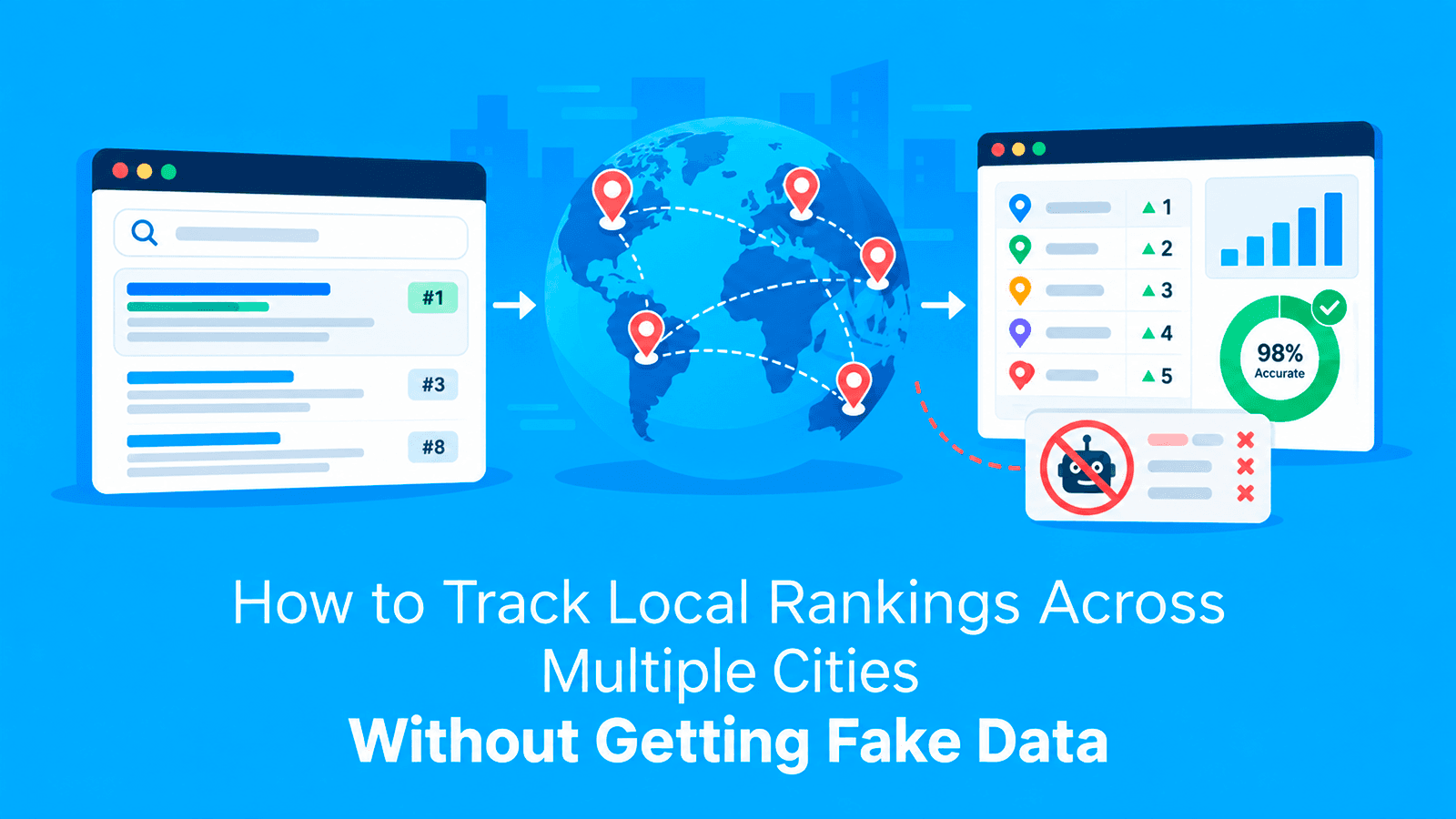

Ask ten people in ten cities to search the same keyword, and you will get ten different first pages. That is normal. Google has worked this way for years. BrightLocal’s 2026 research found that 84% of consumers searched online for a local business in the previous three months, while 73% of local searches started on a mobile device. The problem starts when you track rankings for a client serving multiple cities but run every check from the same location. The numbers may be real, but they reflect the wrong market.
We see this constantly with customers who buy proxies for SEO work. The scraper runs fine, nothing gets blocked, and the data is still wrong. This guide explains why that happens and how to set up local rank checks that better reflect what customers actually see in each market.
Why Does One Location Give You the Wrong Answer?
Google changes results based on where the search comes from. For anything with local intent, that change is not small.
Search "emergency plumber" from Dallas and from Boston, and you get two different sets of businesses, a different map pack, and often different organic results underneath it. The same is true for "personal injury lawyer", "dentist", "gym", and most of the terms local businesses care about.
Three things drive it:
- Your IP address. This is one of the strongest location signals available to an automated rank check, so an IP from the wrong city can significantly distort local results.
- Language and country settings. These shift results again, on top of location.
- Search history and personalisation. Less of a factor for a clean automated request, but it matters if you are checking from a logged-in browser.
If your checks all run from one IP in one city, you are measuring one city and reporting it as everywhere.
What Does Wrong Ranking Data Look Like?
Wrong local ranking data can create problems long before anyone notices an obvious error. Because the results often look plausible, teams may make reporting and strategy decisions based on rankings that do not reflect the client’s actual market.
- The client ranks better than you reported. Your check ran from a city they do not serve, against competitors who do not compete with them.
- The client ranks worse than you reported. More common and more expensive. You report position four. They check on their phone at the office and see position eleven, and now you are explaining yourself.
- The competitor set is wrong. You build a whole strategy around three competitors who do not operate in your client's market.
- Nothing looks off at all. The report is clean, the numbers move, and the campaign is aimed at the wrong target for months.
None of these produce an error message. There is nothing to debug. You only find out when someone checks by hand.
Further reading: What Is a Proxy Server Address and How to Find It? and What Does “Configure Proxy” Mean? How to Configure Proxy on Wi-Fi and iPhone.
How Does Live Proxies Help Get the Right IP Location?
The fix is simple to describe. Run the check from an IP in the market you are measuring. Country level is not enough. A US IP could be anywhere from Seattle to Miami, and for local terms, those locations return different results. You need the state, and for competitive metros, you want the city.
Live Proxies provides more precise location control for local SEO workflows. Rotating residential plans include US state-level options, while enterprise setups offer broader targeting and millions of IPs across 55+ countries.
For repeated checks, rotating residential proxies support sticky sessions up to 24 hours and unlimited threads, helping teams keep location-specific runs consistent across multiple markets.
Residential or datacenter
For local rank checks, use residential.
Datacenter IPs come from address ranges that are published and easy to identify. Google knows them. They also do not carry a believable location signal, because a datacenter in Virginia does not tell Google anything about a person in Richmond.
Residential IPs come from real home connections in real places. That is the whole point here. If you are unsure of the difference, we have written it up in what a residential proxy is.
Use datacenter for testing your script. Use residential for anything that goes in a report.
Why Do Shared Proxy Pools Create Another Problem?
Location is only half of it. The other half is whether the IP has already been used to hammer Google today.
On a shared pool, other people are sending traffic through the same addresses. If they are careless, you inherit the block. You are then either getting no data or getting a CAPTCHA page your parser reads as an empty result, which quietly turns into a missing ranking in the report.
Private allocation avoids that, because the IPs assigned to you are not being used by anyone else. If you want the longer version of how blocks build up at scale, we covered it in preventing IP bans in large-scale scraping.
Setting up the checks
A reliable local rank-tracking setup needs consistent location signals and stable sessions so each check reflects the intended market. A practical setup should include:
- One IP per market. Assign a city to an IP and keep them together for the run. Do not let a Dallas keyword go out through a Boston address because the rotation happened to land there.
- Hold the session. Rotating on every single request creates an unnecessary pattern. Live Proxies supports sticky sessions of up to 24 hours, helping teams keep the same IP and location throughout longer rank-tracking runs.
- Pace it. One request every four to eight seconds per IP, with a random gap between them. A fixed gap is a pattern too.
- Send browser headers. A real user agent and the headers a browser sends. A bare request stands out immediately.
- Store the location with the result. This is the step people skip, and it is the one that makes the data useful later. A ranking with no city attached is close to worthless a month on.
Before launching a larger batch, you can test your proxy connection to confirm that the proxy is working correctly before collecting ranking data.
If you are building the scrape itself, our walkthrough on scraping Google search results covers the code side.
How Many Cities Should You Track and How Often?
More cities is not automatically better. Every extra city multiplies your request volume, and most of the extra rows tell you nothing.
Pick the cities where the client actually earns money. For most local businesses, that is three to eight, not thirty. Add a couple where they want to grow, so you have a baseline before the work starts.
Weekly is enough for most campaigns. Daily is for competitive metros or for the fortnight after a big change. Checking everything every day mostly generates noise and burns bandwidth.
How Can You Read Local Ranking Results Accurately?
Once the data is clean, local patterns become much easier to interpret. Comparing cities separately helps reveal whether ranking differences come from proximity, local authority, or market-specific competition.
- Rankings that differ sharply between neighbouring cities. Usually a proximity or citation problem rather than a content problem.
- Strong rankings at home, nothing one city over. The site has authority but no local signals in the second market.
- A competitor who only appears in some cities. They are winning on local signals, not on the page.
That third pattern is worth investigating because the difference may come from local authority rather than the page itself. If the content is comparable across markets, check local citations, relevant mentions, backlinks, and other location-specific signals before making broader content changes. Building stronger authority in the weaker market can involve earning relevant local mentions and links over time. Agencies that do not manage this work internally may use managed link building packages as part of a broader local SEO strategy.
What Mistakes Do We See Most Often?
These mistakes usually do not break the tracking process completely, which makes them easy to miss. Instead, they quietly reduce data quality, distort reports across multiple markets, and lead to poor SEO decisions.
- Country-level targeting for local terms. The most common one by far, and the reason most local ranking reports are wrong.
- No logging. When a run breaks with no status codes saved, you cannot tell a block from a rate limit from a parsing bug.
- Treating a CAPTCHA page as an empty result. Your parser sees no listings and records the client as unranked. Check for the CAPTCHA and retry it instead.
- Free proxy lists. Slow, mostly dead, and nobody can tell you who is reading the traffic passing through them.
- Reporting an average across cities. A client who ranks first in one city and fortieth in another is not "ranked twentieth". Report the cities separately, or the number means nothing.
Further reading: What Is a Proxy Port? Port Address, Numbers, How It Works, and Examples and What Is a Residential Proxy, Why You Need It?.
FAQs
Do I need a proxy just to check rankings?
For a handful of keywords in one city, no. For multiple markets, yes, because your own connection can only tell you what one location sees.
How much bandwidth does this use?
Very little. Search result pages are small, and a few hundred keywords across several cities usually land in single-digit gigabytes a month.
Can I use a VPN instead?
For a few manual checks, yes. Not for automated tracking, since VPN endpoints are shared, easy to identify, and rarely offer city-level choice. We compare the two in proxy vs VPN.
How close does the IP need to be?
City level for competitive local terms. State level is usually enough for broader commercial keywords. Country level only for national terms with no local intent.
Is scraping search results allowed?
Collecting public search results is standard practice across the SEO industry. Keep your request rate reasonable, do not sign in and scrape behind a login, and read the terms of any tool you build on.
The short version
Match the IP to the market. Use residential addresses rather than datacenter ones. Hold a session instead of rotating every request. Store the city alongside every result. Report cities separately.
Do that, and the numbers in your report will be much closer to what customers in each market are likely to see, giving you a more reliable basis for local SEO decisions.